AI Tools, Explained Through Real Workflow Fit

AI tools are no longer optional add-ons. They shape how individuals, teams, and organizations write, build, research, automate, create, and scale. The challenge is not finding more tools. The challenge is understanding which tools fit your workflow, how to evaluate them responsibly, and where their limitations matter.

Category-first
Explore the AI tools landscape through structured categories instead of vague “best tool” lists.
Workflow-aware
Understand where a tool belongs inside real systems, teams, and repeatable operational flows.
Independent
Arti-Trends focuses on practical relevance, limitations, and editorial clarity rather than hype or sponsorship bias.
Actionable
Move from explanation to implementation with decision frameworks, practical guides, and workflow logic.

What you will find here

This hub brings together cornerstone explainers, category deep dives, practical usage guides, and evaluation frameworks so readers can move from understanding AI tools to selecting and applying them with more precision.

Tool Categories Decision Frameworks Workflow Design Use Cases Limitations Editorial Standards
01

Start with the foundation

New to AI tools? Begin with the cornerstone guide to understand how the landscape is structured and how categories differ.

Open the guide →
02

Explore by category

Go deeper into productivity, content, image, video, automation, coding, research, and multimodal workflows.

Browse the library →
03

Learn how to evaluate

Use structured frameworks to compare tools by workflow fit, usability, limitations, and long-term value.

View the framework →
04

Apply tools in practice

Move beyond theory with practical guides for productivity, business automation, creators, students, and AI workflows.

See workflow guide →
Free Match Engine
0/3 selected Waiting for input

Find the Right AI Tool — Fast

Answer 3 quick questions and get a focused recommendation for your workflow.

A faster path to the right tool, without the heavy setup.
Pick your goal, your priority, and your level. The engine translates those choices into a focused recommendation using the existing Arti-Trends ranking logic behind the scenes.
Step 1

What do you want to do?

Step 2

What matters most?

Step 3

Your level

Choose all 3 answers to unlock your match.
Your tool match will appear here
Choose one option in each step to unlock your main match, supporting alternatives, and the next best action for your workflow.
Need a deeper match?

Advanced matching will compare tools by budget, workflow stage, integrations, automation level, team use and commercial fit.

Unlock Advanced Match
Arti-Trends // Benchmark Engine

AI Workflow ROI Calculator

Simulate the difference between a human-only workflow and an AI-assisted workflow using Arti-Trends benchmark assumptions. The engine estimates time compression, economic value, and operational leverage in real time.

Model mode Realistic workflow benchmark
Estimate type Human vs AI-assisted
Review logic Human review included
Status Live scenario simulation

Workflow input console

The engine loads fixed benchmark assumptions for each workflow.
How often this workflow occurs each week.
Number of people involved in this workflow.
Estimated value of one hour of work.
Total software cost allocated to this workflow.
Please enter valid values above.

Benchmark assumptions loaded

Human-only180 min
AI-assisted75 min
Saved / task105 min

Benchmark reflects drafting, structuring, refinement, and human review for long-form content.

Without AI 259.8h Estimated monthly time required for the human-only workflow.
With AI 108.3h Estimated monthly time required for the AI-assisted workflow.
Hours saved / month 151.6h Net workflow time compression generated by AI assistance.
Monthly value created €5,965 Estimated monthly value after subtracting software cost.
Annual value created €71,580 Projected yearly impact based on current workflow volume.
ROI 6024% Relative return generated by time-value versus software cost.

Leverage meter

Very High
100% ROI strength

This workflow appears to offer strong operational leverage when AI is used consistently.

This tool only needs to save 2.5 hours per month to pay for itself.

Results use an average of 4.33 weeks per month. Estimates are directional benchmarks based on realistic AI-assisted workflows that still include human review, editing, and final approval.

Arti-Trends AI Tools Library

Find the right AI tool by category, workflow role, and real-world fit

Explore AI tools using the Arti-Trends methodology and workflow stack. Search by tool name, filter by category or workflow role, and sort by score to compare tools faster.

Showing 3 tools

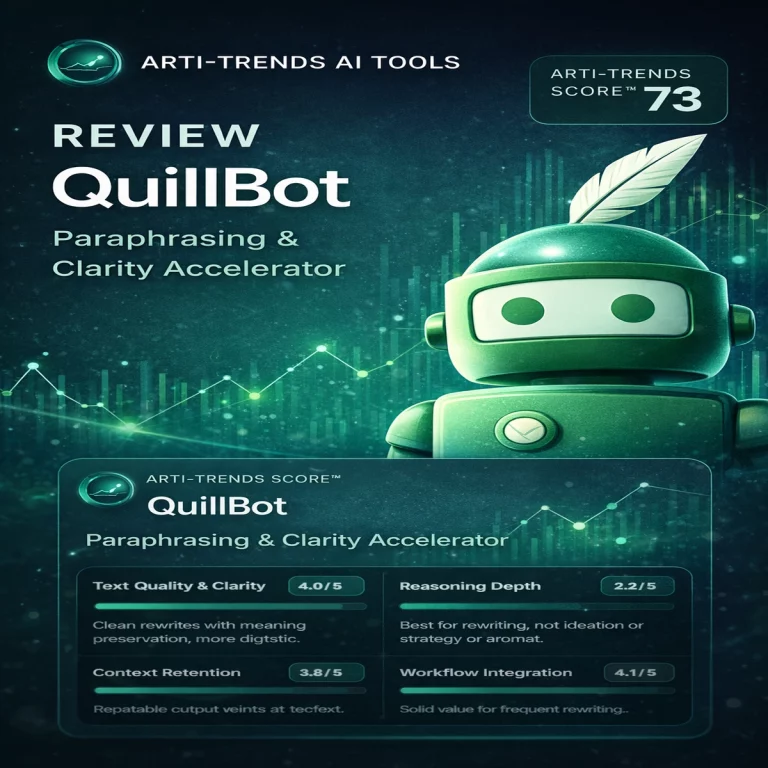
QuillBot

Score
77 /100
AI Writing Tools Refine

Best for fast rewriting, clarity improvement, and low-friction editing workflows where the first draft already exists and needs refinement.

Workflow role
Refine — improves wording, structure, and readability after drafting.
Pricing
Freemium — accessible entry point with premium upgrade path.
Paraphrasing Grammar Summarization

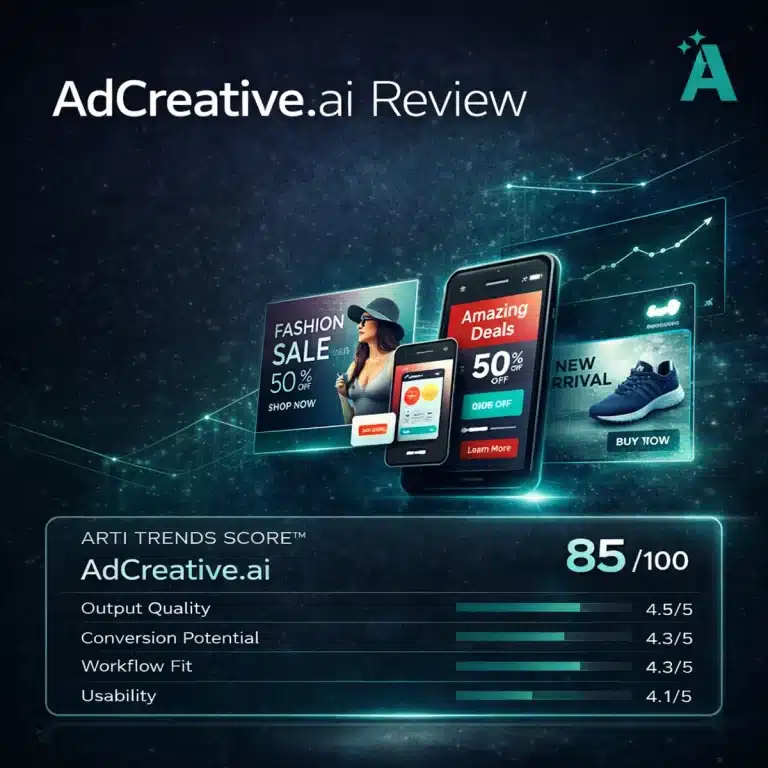
AdCreative.ai

Score
85 /100
AI Marketing & Ad Creative Tools Create

Best for speed-driven campaign teams that need more ad concepts, faster creative iteration, and a stronger testing workflow without full manual design effort.

Workflow role
Create — generates ad-ready visual assets and campaign variations.
Pricing
Paid — strongest ROI in active paid acquisition environments.
Ad creatives Performance marketing Creative testing

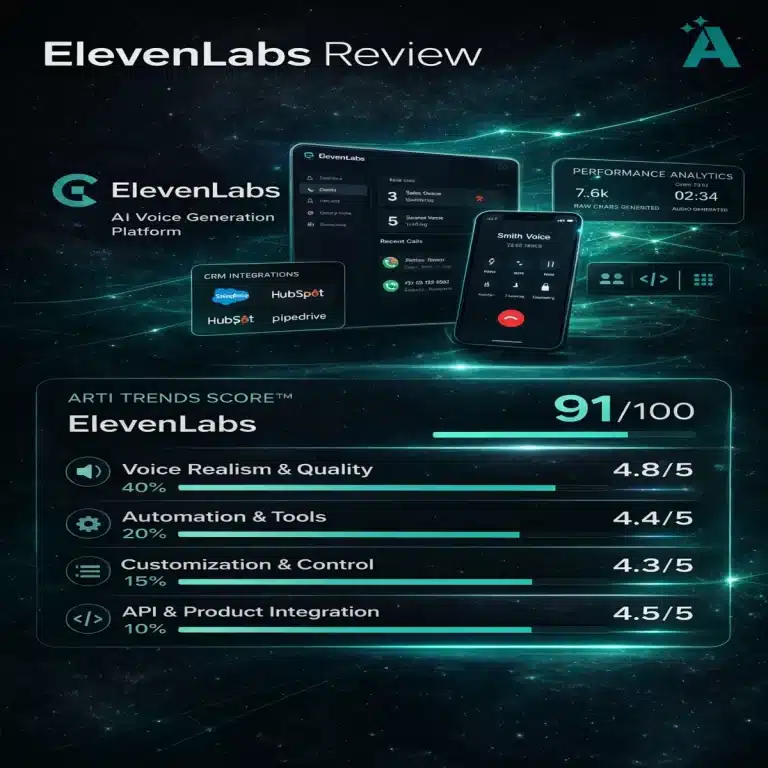
ElevenLabs

Score
91 /100
AI Voice & Audio Processing

Best AI voice generation platform for realistic speech output, scalable audio production, and API-driven voice infrastructure across content and software workflows.

Workflow role
Processing — transforms text into high-quality speech output, enabling voice generation, narration, and audio production workflows.
Pricing
Freemium — free tier available with usage limits, scalable pricing for higher volume and API access.
Text-to-speech Voice cloning API integration

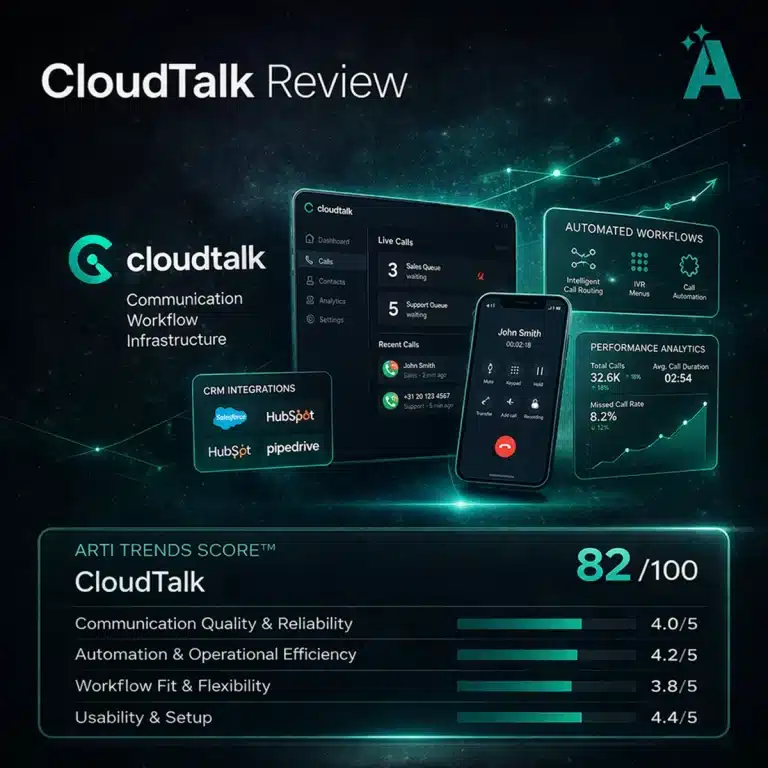
CloudTalk

Score
82 /100
AI Communication Tools Execute

Best for structured cloud calling, CRM-connected workflows, and scalable communication operations where calls remain central to sales and support performance.

Workflow role
Execute — manages inbound and outbound communication, routing, and operational call workflows.
Pricing
Paid — subscription-based pricing depending on team size, features, and usage.
Cloud calling CRM integrations Call analytics

AI Tools Knowledge Library

Explore the Arti-Trends AI Tools Hub through cornerstone guides, category deep dives, decision frameworks, and practical implementation articles. This library is built to help readers understand where tools fit, how to evaluate them, and how to apply them responsibly in real workflows.

Showing all resources.

Resource Focus Type
The Ultimate Guide to AI Tools (2026) A cornerstone overview of the AI tools landscape, including categories, workflow logic, evaluation principles, and the role tools play across modern work. AI tools landscape, structure, evaluation Cornerstone
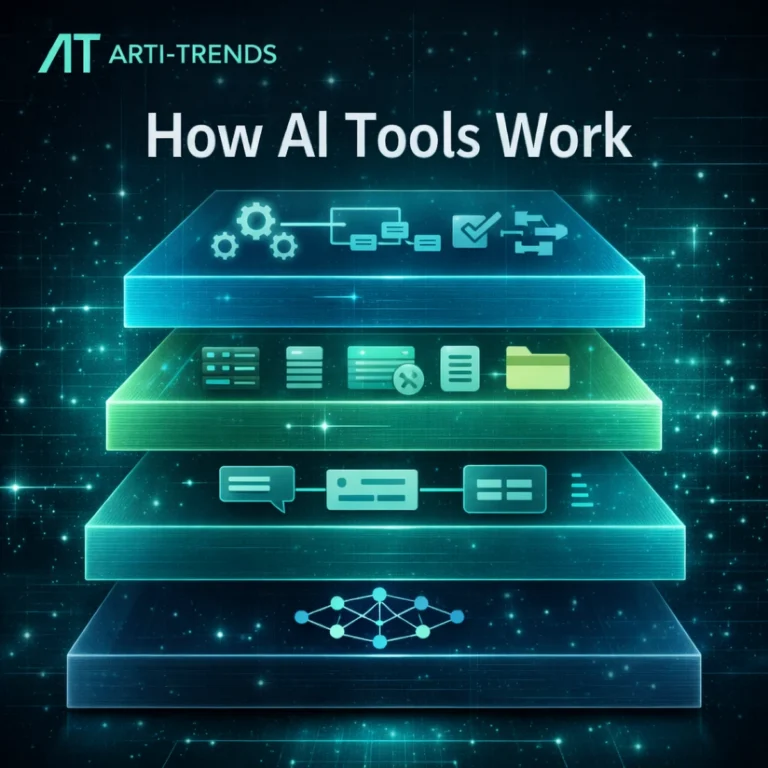
How AI Tools Work An explanatory backbone article covering the mechanics behind AI tools, what powers their outputs, and how users should think about reliability and limitations. Foundations, mechanics, reliability Explainer
AI Productivity Tools: The Complete Guide (2026) A category guide to AI tools that support planning, writing, focus, organization, and execution across personal and professional workflows. Productivity, planning, execution Category Deep Dive
AI Content Creation Tools A structured overview of AI tools used for writing, editing, ideation, SEO support, and broader content production workflows. Writing, editing, SEO, ideation Category Deep Dive
AI Image Generation Tools A deep dive into image generation and visual editing tools used for ideation, design assets, concepting, and creative production pipelines. Visuals, image generation, editing Category Deep Dive
AI Video Creation Tools An overview of tools for AI-powered video generation, editing, captioning, repurposing, and content workflow acceleration. Video generation, editing, repurposing Category Deep Dive
AI Business Automation Tools A category guide focused on tools that automate workflows, connect systems, reduce repetitive work, and support scalable business operations. Automation, workflows, business operations Category Deep Dive
AI Code & Developer Tools A practical overview of AI tools used in software development for code generation, debugging, development assistance, and technical workflows. Coding, debugging, developer workflows Category Deep Dive
AI Research & Knowledge Tools A guide to research assistants, knowledge systems, retrieval workflows, synthesis tools, and AI-supported information work. Research, synthesis, knowledge management Category Deep Dive
Multimodal AI Tools 2026: The Next Evolution of Human-Machine Collaboration A category-level look at multimodal systems that combine text, image, audio, and video into richer end-to-end workflows. Multimodal workflows, next-gen interfaces Category Deep Dive
How to Choose the Right AI Tool A structured decision framework for selecting tools based on workflow fit, actual use case, limitations, and long-term value. Tool selection, workflow fit, decision logic Framework
How to Compare AI Tools A practical comparison framework designed to help readers evaluate AI tools more objectively across categories and use cases. Comparison, evaluation, criteria Framework
How We Review AI Tools A methodology page explaining how Arti-Trends evaluates AI tools through workflow fit, usability, limitations, reliability, and long-term maintainability. Review method, criteria, editorial logic Methodology
How to Build an AI Workflow A hands-on guide to combining AI tools into structured, repeatable workflows that support real execution rather than scattered experimentation. Workflows, systems, implementation How-To
How to Use AI Tools to Automate Your Business A practical guide to applying AI tools inside business operations to reduce friction, automate repetitive work, and improve process scalability. Business automation, operations, scale How-To
How to Use AI Tools for Productivity An accessible practical guide to using AI tools for focus, planning, writing support, and daily knowledge work without unnecessary complexity. Productivity, knowledge work, execution How-To
How to Use AI Tools for Students A student-focused implementation guide covering research, learning, writing support, and responsible academic use of AI tools. Education, study workflows, responsible use How-To
How to Use AI Tools for Creators A workflow-focused guide for creators using AI across ideation, content production, editing, and creative execution. Creative workflows, ideation, production How-To
How to Use AI Tools Safely (Privacy & Protection) A practical guide to privacy-aware AI use, data handling, prompting discipline, and the safe use of tools in sensitive workflows. Privacy, safety, responsible use How-To
How to Use AI Agents (Practical Guide) A practical introduction to agent-based workflows, including where agents fit, what they automate, and what users should realistically expect. AI agents, orchestration, automation How-To
Top AI Prompt Tools to Boost Productivity in 2026 A practical guide to prompt-focused tools that help users organize, refine, accelerate, and improve real-world prompting workflows. Prompting tools, workflow acceleration How-To
Editorial Policy & AI Tools Review Standards See how Arti-Trends approaches AI tools coverage through editorial independence, clear criteria, practical relevance, transparency, and quality standards. Editorial policy, standards, quality control Methodology
No resources match the selected filters. Try another section or reset the filters.
Arti-Trends AI Tool Finder™

Find the right AI tool for your workflow — faster, smarter, and with more confidence

This premium selector is designed to move readers from exploration to decision in under 30 seconds. Instead of overwhelming visitors with long lists, it creates a guided path based on use case, experience, budget, and workflow fit — then surfaces the strongest matches with clear next actions.

Why this becomes dominant
4 guided questions that reduce friction
Top 3 clear, conversion-ready tool matches
Live decision summary shown while selecting
Premium designed for dwell time and internal linking
Selection Progress
Step 1 of 4
1
Goal
What do you want to achieve?
2
Experience
How advanced should the tool be?
3
Budget
What pricing level fits you best?
4
Workflow
What specific outcome do you need?

What do you want to do?

Choose the main result you want from an AI tool. This is the strongest signal in the recommendation engine.

Primary use case
Live Selection Summary
1
Goal
Not selected yet
2
Experience
Not selected yet
3
Budget
Not selected yet
4
Workflow
Not selected yet
Recommendation readiness 0%
The more specific the answers, the stronger the recommendation quality becomes.
Selector strategy
Why this works: users do not want to scan endless tool lists. They want clarity. This selector narrows the field before they hit the review pages, which increases decision confidence and creates a stronger internal-linking journey.
Arti-Trends AI Tool Finder™

Find the right AI tool for your workflow — with deeper guidance and smarter comparisons

This version turns the selector into a real on-page decision engine. Visitors don’t just get a shortlist. They get verdicts, fit reasons, deeper context, and a cleaner path toward the right tool for their exact workflow.

What V3 adds
Verdicts Each result explains the fit in one sharp takeaway
Compare Users can quickly compare the top two matches
Expand Pros, considerations, and use-case details sit behind each card
Premium UX Built for dwell time, confidence, and cleaner click intent
Selection Progress
Step 1 of 4
1
Goal
What do you want to achieve?
2
Experience
How advanced should the tool be?
3
Budget
What pricing level fits you best?
4
Workflow
What specific outcome do you need?

What do you want to do?

Choose the main result you want from an AI tool. This is the strongest signal in the recommendation flow.

Primary use case
Live Selection Summary
1
Goal
Not selected yet
2
Experience
Not selected yet
3
Budget
Not selected yet
4
Workflow
Not selected yet
Recommendation readiness 0%
The more specific the answers, the sharper the shortlist becomes.
Decision strategy
Why this converts better: visitors don’t just want options. They want confidence. That is why V3 adds verdicts, fit signals, quick compare mode, and expandable depth before the user leaves for a review page.

ElevenLabs Review: The Most Realistic AI Voice Generator?

What is ElevenLabs? ElevenLabs is an AI voice generation platform...

CloudTalk Review (2026): Features, Pricing, Performance & Use Cases

What is CloudTalk? CloudTalk is a cloud-based business calling platform...

AdCreative.ai Review (2026): Features, Pricing, Pros & Cons

What is AdCreative.ai?AdCreative.ai is an AI-powered ad creative generation platform...

QuillBot Review 2026: Structured Paraphrasing in the AI Writing Workflow

In the rapidly expanding AI writing ecosystem, most tools attempt...

How AI Tools Work: From Models to Interfaces, Context and Workflows

Introduction — Why Understanding How AI Tools Work Matters Most...

Best AI Video Tools (2026): Choosing the Right Platform for Your Workflow

Video is the dominant medium online — and in 2026...

Best AI Tools for Productivity (2026)

Disclosure: We may earn a commission if you sign up...

How to Use AI Agents (2026)

Introduction: Everyone Talks About AI Agents — Few Actually Understand...