
Connecting an AI crypto trading bot to an exchange should never be a “click and hope” decision. Once a bot has access to your account, it can place orders automatically, manage positions, and react to market movements without waiting for your approval. A poor setup can expose your account to unnecessary risk, even if the trading strategy itself is sound.
This practical checklist walks you through the most important safety checks before you trade with real money. Whether you plan to use a grid bot, DCA bot, arbitrage bot, or AI-powered trading platform, these simple steps can help you reduce avoidable mistakes.
If you’re completely new to automated trading, we recommend reading our AI Crypto Trading for Beginners guide before connecting your first bot.
A crypto trading bot is generally safe only when it has limited account permissions, cannot withdraw funds, uses secure API access, and operates within clearly defined risk limits. No trading bot is risk-free, but a well-configured setup can significantly reduce operational and security risks.
What This Checklist Covers
This guide focuses on the practical side of bot safety rather than trading strategy. Instead of explaining which bot performs best, we’ll look at the checks every trader should complete before allowing software to trade on their behalf.
- API permissions and account access
- Withdrawal protection
- IP whitelisting and account security
- Position sizing and capital allocation
- Leverage and risk management
- Monitoring and emergency shutdown procedures
Completing these checks takes only a few minutes, but they can prevent many of the mistakes that new bot users make when connecting an exchange account for the first time.

Check 1: Review Your API Permissions First
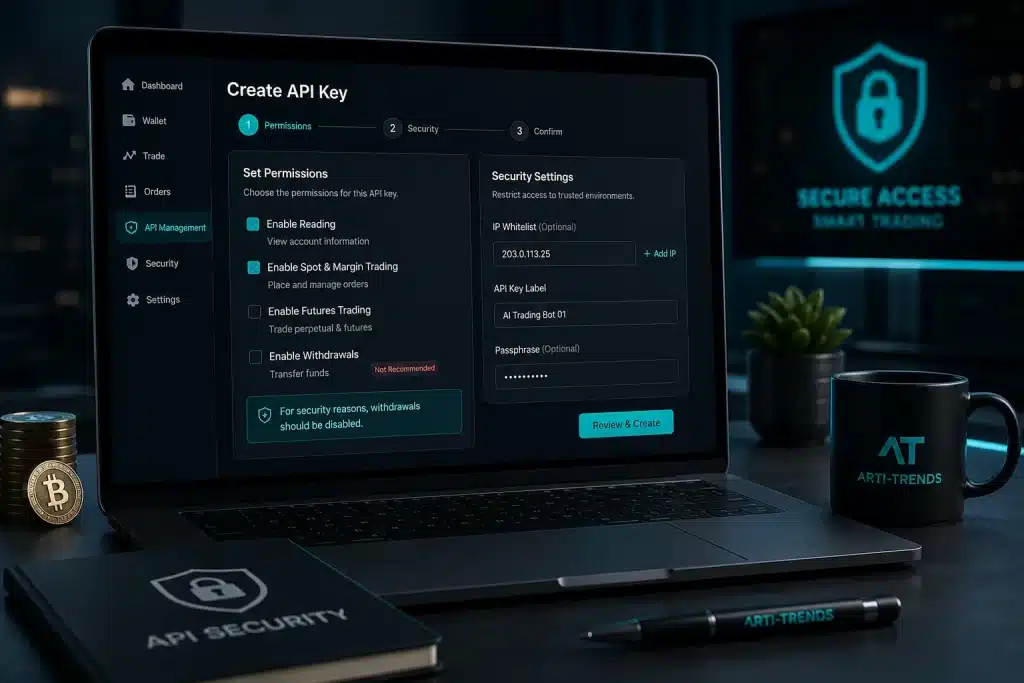
Before you think about trading strategies or expected returns, review the permissions your bot will receive through its API key. An API key acts as the connection between your exchange account and the trading bot. Whatever permissions you grant can also be used by the bot.
For most traders, a bot only needs permission to read account information and place trades. It should not be able to withdraw funds. Disabling withdrawal access significantly reduces the potential impact if your API key is ever exposed or your account is compromised.
Many beginners simply accept the default settings when creating an API key. Instead, take a minute to review every permission individually. If you don’t understand why a permission is required, leave it disabled until you do.
- ✓ Enable Read permission.
- ✓ Enable Trade permission only if your bot places live orders.
- ✗ Keep Withdraw permission disabled.
- ✓ Delete unused API keys immediately.
- ✓ Create a separate API key for every trading bot you use.
If you’re still comparing platforms, remember that the safest setup starts with choosing a reputable provider. Our Best AI Crypto Trading Bots comparison explains how different platforms handle automation, exchange connectivity, and account management.
Check 2: Start with a Small Trading Balance
One of the biggest mistakes new traders make is connecting their entire crypto portfolio to a trading bot. Even if the bot is reliable, every automated strategy carries risk. Software bugs, incorrect settings, unexpected market conditions, or simple human errors can all lead to losses.
Instead of giving your bot access to your full portfolio, start with an amount you can comfortably afford to lose. Think of your first live deployment as a real-world test rather than an opportunity to maximise profits. Once you’ve seen the bot perform consistently over time, you can gradually increase the allocated capital.
Many experienced traders also separate long-term investments from automated trading funds. This prevents a short-term trading strategy from affecting assets that are intended for long-term holding.
- ✓ Start with a small percentage of your portfolio.
- ✓ Increase capital gradually as confidence grows.
- ✓ Keep long-term investments separate from trading funds.
- ✓ Review your bot’s performance before adding more capital.
- ✓ Never invest money you cannot afford to lose.
If you’re still deciding which type of automated strategy best matches your goals, our AI Crypto Trading Strategies guide compares the most common approaches, including grid trading, DCA, trend-following, arbitrage, and portfolio automation.
Check 3: Enable Two-Factor Authentication and IP Whitelisting
Even the best AI trading bot cannot protect an account with weak security. Before connecting any bot to your exchange, make sure your account is protected with two-factor authentication (2FA) and, where available, IP whitelisting. These two features take only a few minutes to configure but provide a significant extra layer of protection.
Two-factor authentication requires a second verification step whenever someone logs into your exchange account. Using an authenticator app is generally more secure than SMS verification because it is less vulnerable to SIM-swapping attacks.
IP whitelisting protects your API key by allowing it to work only from approved IP addresses. Even if someone obtained your API credentials, they would be unable to use them from an unknown location. While not every exchange supports IP whitelisting, it is one of the most effective security features available for automated trading.
If you’re still deciding which exchange to use, it’s worth comparing more than just trading fees. API stability, available security features, and execution reliability can make a significant difference when running automated strategies. Our guide to the best crypto exchanges for AI trading compares the leading platforms from both a trading and security perspective.
- ✓ Enable two-factor authentication before creating an API key.
- ✓ Prefer an authenticator app over SMS verification.
- ✓ Enable IP whitelisting whenever your exchange supports it.
- ✓ Remove unused API keys immediately.
- ✓ Review your account security settings regularly.
Account security is only one part of the equation. Once your exchange connection is secure, the next step is limiting how much capital your bot can actually put at risk. Even a well-protected account can suffer losses if position sizes or risk limits are set too aggressively.

Check 4: Define Your Risk Limits Before Your Bot Goes Live
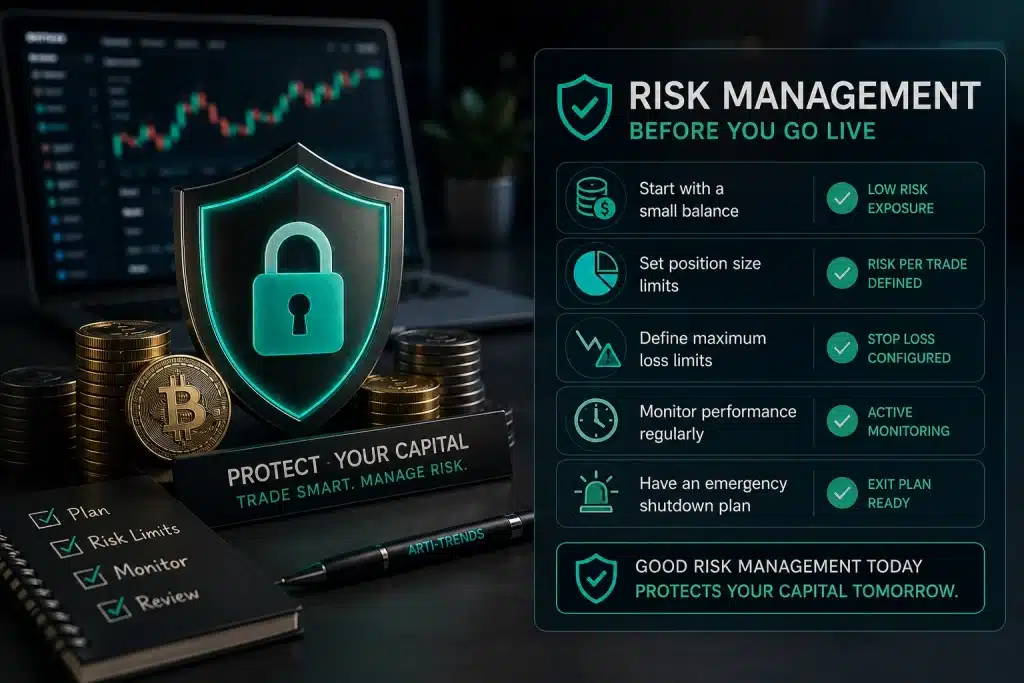
A trading bot should never decide how much risk you take—that decision belongs to you. Before your bot places its first order, define exactly how much capital you’re willing to risk, how large each position may become, and when you’ll stop trading if things don’t go as planned.
One of the most common beginner mistakes is focusing on potential profits while ignoring downside risk. Markets can change quickly, and even profitable strategies experience losing periods. Without predefined limits, a bot may continue opening or averaging into positions long after you would have exited manually.
Start conservatively. Allocate only a small portion of your portfolio, avoid excessive leverage, and decide on a maximum daily or weekly loss before you begin. These limits help remove emotion from decision-making and prevent small setbacks from turning into significant losses.
- ✓ Define your maximum trading balance before going live.
- ✓ Set a maximum position size for every trade.
- ✓ Decide your daily or weekly loss limit in advance.
- ✓ Avoid increasing risk after a losing streak.
- ✓ Review your risk settings regularly as your experience grows.
If you’re planning to trade with leverage, risk management becomes even more important. Our guide to AI Futures Trading Bots explains why leveraged strategies require stricter position sizing and additional safeguards than spot trading.
Check 5: Test Your Bot Before Scaling Up
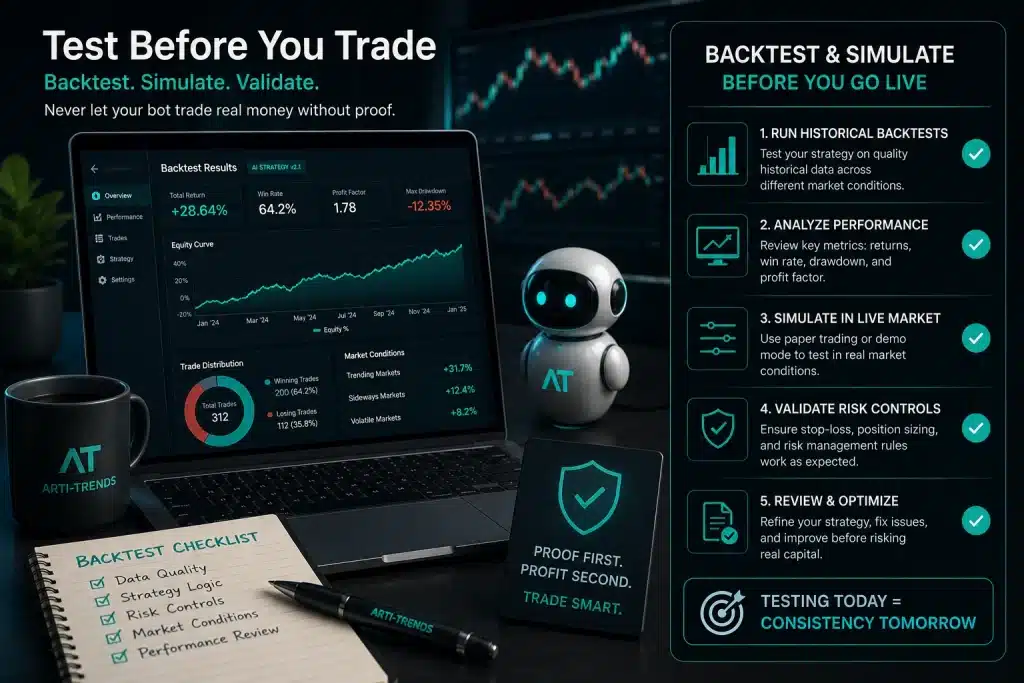
Even if you’ve chosen a reputable platform and configured your security settings correctly, you shouldn’t assume your bot is ready to manage a large amount of capital immediately. Every trading strategy behaves differently under real market conditions, and even small configuration mistakes can affect performance.
Start by monitoring your bot with a small trading balance. Watch how it enters and exits positions, how often it trades, and whether its behaviour matches your expectations. This gives you the opportunity to identify configuration issues before they become expensive mistakes.
As your confidence grows and the bot consistently performs as expected, you can gradually increase the allocated capital. Scaling up slowly also makes it easier to evaluate whether market conditions still match the strategy you’ve chosen, rather than assuming past performance will continue indefinitely.
Different strategies require different testing periods. A grid bot may execute dozens of trades within a few days, while a trend-following strategy could take weeks before producing enough data to evaluate. If you’re still deciding which approach best fits your goals, our guide to AI Crypto Trading Strategies explains when each strategy is most effective.
- ✓ Begin with the smallest practical trading balance.
- ✓ Monitor every trade during the first few days.
- ✓ Keep a simple trading journal of settings and results.
- ✓ Make one change at a time when optimising your strategy.
- ✓ Increase capital only after consistent performance.
Check 6: Monitor Your Bot Regularly
One of the biggest misconceptions about AI trading bots is that they can be left running indefinitely without supervision. While automation removes much of the manual work, it doesn’t eliminate the need for oversight. Markets evolve, exchange APIs occasionally experience issues, and trading conditions can change far more quickly than expected.
Make it a habit to review your bot’s activity on a regular basis. Check whether orders are being executed correctly, verify that positions remain within your risk limits, and look for unusual behaviour such as repeated failed orders or unexpected increases in trading frequency. Catching these issues early can prevent much larger problems later.
Performance should also be reviewed over time rather than after a single winning or losing trade. Compare the bot’s results with the strategy you intended to run and avoid making frequent changes based on short-term market movements. Consistency is usually more valuable than reacting emotionally to every price swing.
If you notice that trading costs are reducing overall performance, it’s worth reviewing both your exchange fees and your bot’s trading frequency. Our AI Trading Bot Fees Comparison explains how platform fees, exchange commissions, and frequent trading can affect long-term returns.
- ✓ Review your bot’s activity at least once a day.
- ✓ Check that all orders are executed correctly.
- ✓ Monitor trading fees and overall profitability.
- ✓ Investigate failed orders or unusual trading activity.
- ✓ Make gradual adjustments instead of constantly changing your strategy.

Check 7: Have an Emergency Shutdown Plan
No matter how carefully you’ve configured your trading bot, every automated system should have an emergency plan. A sudden market event, exchange outage, API issue, or configuration mistake can cause unexpected behaviour. Knowing exactly what to do before something goes wrong allows you to react quickly and avoid unnecessary losses.
The worst time to figure out how to stop a trading bot is while your account is already losing money. Instead, familiarise yourself with your platform’s controls before you begin trading. Make sure you know how to pause the bot, cancel open orders, and disable its API connection if needed.
If Something Goes Wrong, Follow These Steps
- Pause the bot to stop new trades from being opened.
- Cancel all open orders so no additional positions are executed unexpectedly.
- Review your open positions and decide whether they should remain open or be closed manually.
- Disable or delete the API key if you suspect a security issue or unusual account activity.
- Check your exchange notifications and bot logs to understand what triggered the problem.
- Fix the underlying issue before reconnecting the bot.
Don’t feel pressured to restart your bot immediately. Taking a few extra minutes to understand what happened is almost always better than reconnecting an automated strategy that may still be misconfigured. A disciplined approach can prevent the same mistake from happening twice.
If you don’t fully understand why your bot is behaving differently than expected, stop trading first and investigate the cause before allowing the bot to resume.
Final Safety Check Before Going Live
Before connecting an AI crypto trading bot to real funds, use this checklist to confirm your account access, capital allocation, risk limits, monitoring routine, and emergency plan.
API permissions reviewed
The bot only has the permissions it needs to operate.
Withdrawals disabled
The bot cannot move funds out of your exchange account.
2FA enabled
Your exchange account uses two-factor authentication.
IP whitelist configured
API access is restricted to approved IP addresses where supported.
Small balance allocated
The bot starts with limited capital instead of your full portfolio.
Position size defined
Each trade has a clear maximum size before the bot goes live.
Loss limit set
You know when to pause the bot if performance moves against you.
Bot tested first
The setup has been tested with paper trading or a small live balance.
Monitoring routine ready
You know how often you will review trades, fees, and errors.
Shutdown plan prepared
You know how to pause the bot, cancel orders, and revoke the API key.
A completed checklist does not guarantee profits, but it does mean your bot setup is more disciplined, safer, and easier to control if market conditions change.
FAQ: AI Crypto Trading Bot Safety
These frequently asked questions cover the most common security, risk management, and setup concerns traders have before connecting an AI crypto trading bot to a live exchange account.
Are AI crypto trading bots safe?
AI crypto trading bots can be safer when they are configured with limited API permissions, withdrawal access disabled, small trading balances, and clear risk limits. However, no trading bot is completely risk-free.
Bots can still lose money if the strategy performs poorly, market conditions change, or the setup is configured incorrectly.
Should I disable withdrawals for a trading bot?
Yes. For most trading bot setups, withdrawal permission should stay disabled. A bot usually needs read access and trade access, but it should not need permission to move funds out of your exchange account.
Disabling withdrawals reduces the potential damage if an API key is exposed or misused.
How much money should I start with?
Start with a small amount you can afford to lose. Your first live bot setup should be treated as a controlled test, not a full portfolio deployment.
Once the bot behaves as expected and you understand its risk profile, you can consider increasing capital gradually.
Should beginners use leverage with crypto trading bots?
Beginners should be very careful with leverage. Leveraged bots can amplify both gains and losses, and poor settings can lead to liquidation during volatile market moves.
New users are usually better off starting with spot trading before considering futures or margin-based strategies.
Can a crypto trading bot lose all my money?
Yes, it is possible to lose a large part of your trading balance if a bot is poorly configured, uses excessive leverage, trades during extreme volatility, or has no clear loss limits.
This is why small capital allocation, position sizing, and emergency shutdown steps are important before going live.
How often should I monitor my trading bot?
During the first few days, you should monitor your bot closely and review every trade if possible. After that, most users should still check performance, open orders, fees, and unusual activity at least once a day.
A trading bot is automated, but it should not be ignored.
What should I do if my trading bot behaves unexpectedly?
Pause the bot first, then cancel open orders and review your open positions. If you suspect an API or account security issue, disable or delete the API key immediately.
Do not reconnect the bot until you understand what caused the unusual behaviour.
Is paper trading recommended before using real money?
Yes. Paper trading or testing with a very small live balance is recommended before scaling up. It helps you understand how the bot behaves, how often it trades, and whether the strategy matches your expectations.
Testing first is especially useful for beginners and for traders using a new platform or strategy.
Final Thoughts
There is no such thing as a completely risk-free AI crypto trading bot. Every automated trading system carries market risk, technical risk, and operational risk. The difference between a disciplined trader and an unprepared one is rarely the software itself—it’s the preparation before the bot ever places its first trade.
By limiting API permissions, securing your exchange account, starting with a small trading balance, defining clear risk limits, and monitoring performance regularly, you significantly reduce the chance of avoidable mistakes. These simple habits won’t guarantee profits, but they will help you build a safer and more disciplined approach to automated crypto trading.
Think of this checklist as your pre-flight inspection. Complete it every time you connect a new trading bot, test a new strategy, or switch to a different exchange. A few extra minutes of preparation can save far more time—and money—later.