

Disclosure: We may earn a commission if you sign up through links on this page — at no extra cost to you. All opinions are independent and based on our evaluation framework.
AI productivity in 2026 has a strange problem: there are more tools than ever — yet many people feel busier than before.
That’s because AI doesn’t create leverage by simply existing. It creates leverage when it becomes part of a real workflow: writing, planning, research, communication, and execution — without friction.
Most “best AI tools” lists read like app directories. This page is different. It’s a curated top 5 of AI tools that consistently improve speed, output quality, or decision-making for professionals. No hype. No endless catalogs. Just tools that actually move the needle.
All tools listed here are selected using our independent evaluation framework. If you want full transparency on how tools earn their position, read how we review AI tools.
If you want the fastest answer, start with the comparison table below. If you want to understand why these tools deserve a spot, scroll for the editor’s breakdowns and practical use cases.
Quick Comparison: Best AI Tools for Productivity (2026)
This comparison highlights AI tools that deliver the most practical productivity gains in 2026 — based on workflow impact, ease of adoption, and long-term value.
Tools are selected for reliability and real-world usefulness, not sponsorships or launch hype.
This top 5 represents AI tools that consistently improve how professionals think, plan, create, and execute — across knowledge work, content, and operations.
| AI Tool | Best For | Core Productivity Gain | Pricing Model |
|---|---|---|---|
| ChatGPT | Knowledge work & writing | Thinking, drafting, analysis, ideation | Freemium / Paid |
| Notion AI | Knowledge & project management | Centralized thinking + execution | Paid add-on |
| Zapier (AI) | Workflow automation | Eliminates repetitive tasks | Subscription |
| AdCreative.ai | Marketing productivity | Fast ad creatives & copy | Subscription |
| ElevenLabs | Content production | Voice generation at scale | Freemium / Paid |
Our Top Picks (Editor’s Selection)
The tools below stand out because they consistently improve productivity at different stages of work — from thinking and planning to execution and scalable output.
Each tool is evaluated based on workflow impact, not feature count. Where relevant, limitations are included to support informed decisions.
All selections follow our independent review framework — outlined in how we review AI tools.
ChatGPT — The Cognitive Productivity Layer
Best for:
Writing, research, analysis, planning, and decision support.
Why it stands out:
ChatGPT functions as a thinking accelerator. It helps professionals move faster from vague ideas to structured output — whether that’s drafting documents, summarizing research, brainstorming strategies, or preparing presentations.
Instead of switching between tools, notes, and browsers, ChatGPT compresses thinking time into a single interface.
Key productivity use cases:
- Drafting articles, reports, emails, and briefs
- Summarizing long documents or research papers
- Brainstorming ideas, frameworks, and outlines
- Turning rough thoughts into structured plans
- Supporting decision-making with scenario analysis
Limitations:
Output quality depends on prompt clarity and context provided.
Verdict:
If you use only one AI tool for productivity, this is the most versatile starting point.
Notion AI — The Organizational Productivity Layer
Best for:
Knowledge management, project planning, documentation, and team workflows.
Why it stands out:
Notion AI turns scattered notes, tasks, and documents into a single operational workspace. Instead of juggling multiple apps for writing, planning, and tracking progress, professionals can centralize their work — with AI assisting in structuring, summarizing, and prioritizing information.
The real productivity gain comes from context: Notion AI understands your existing pages, databases, and projects, allowing it to generate output that fits directly into your workflow.
Key productivity use cases:
- Turning meeting notes into structured action items
- Summarizing long documents or project updates
- Creating project plans, roadmaps, and documentation
- Managing knowledge bases and internal wikis
- Keeping tasks, notes, and decisions connected
Limitations:
Best value comes when Notion is already your primary workspace; setup takes initial time.
Verdict:
For professionals who live in documents and projects, Notion AI is a force multiplier for organization and clarity.
Zapier (AI) — The Execution & Automation Layer
Best for:
Automating repetitive tasks across apps, workflows, and teams.
Why it stands out:
Zapier removes one of the biggest productivity killers in modern work: manual handoffs between tools. Instead of copying data, triggering follow-ups, or managing routine processes yourself, Zapier automates these steps in the background.
In 2026, Zapier’s AI features make automation easier to design and maintain. You describe what should happen — the system handles how it happens across your tool stack.
Key productivity use cases:
- Automatically moving data between tools (CRM, docs, email, spreadsheets)
- Triggering workflows based on events or conditions
- Reducing admin work in marketing, operations, and sales
- Ensuring tasks are executed consistently, without human error
- Freeing up time for higher-value decision-making
Limitations:
Requires some upfront thinking about workflows; not instant value without setup.
Verdict:
If productivity means eliminating busywork, Zapier is one of the highest-ROI AI tools available.
AdCreative.ai — The Marketing Productivity Layer
Best for:
Marketing teams, founders, and advertisers who need fast creative output.
Why it stands out:
AdCreative.ai compresses what normally takes hours (or days) of design and copywriting into minutes. Instead of starting from a blank canvas, the tool generates ad creatives and messaging optimized for performance — across platforms like Meta, Google, and LinkedIn.
The productivity gain isn’t just speed; it’s decision reduction. You spend less time guessing what might work and more time testing and iterating.
Key productivity use cases:
- Generating ad creatives for campaigns at scale
- Quickly testing multiple creative variations
- Producing visuals and copy without a design team
- Speeding up go-to-market for new offers
- Supporting solo founders and lean marketing teams
Limitations:
Best results come when you already understand your audience and offer.
Verdict:
For anyone running paid marketing, AdCreative.ai turns creative production from a bottleneck into a repeatable process.
ElevenLabs — The Scalable Output Layer
Best for:
Content creators, educators, marketers, and product teams producing audio or video.
Why it stands out:
ElevenLabs makes high-quality voice production accessible without studios, voice actors, or long editing cycles. In workflows where audio keeps slowing things down — videos, explainers, podcasts, demos — this tool removes friction entirely.
The result is scalable content production: once text exists, voice output is no longer a constraint.
Key productivity use cases:
- Voiceovers for videos, demos, and tutorials
- Narration for long-form content and courses
- Podcast intros, ads, and branded audio
- Multilingual voice content at scale
- Faster iteration on audio-based formats
Limitations:
Creative control is strong, but emotional nuance still requires careful tuning.
Verdict:
If audio or video is part of your workflow, ElevenLabs dramatically reduces production time and cost.
How We Evaluate AI Productivity Tools
Not all AI tools increase productivity — many simply add complexity.
To avoid that trap, every tool on this page is evaluated using the same standardized criteria, focused on real-world impact rather than feature count:

- Workflow impact — Does it reduce time, steps, or cognitive load?
- Time to value — How quickly does it become useful after setup?
- Integration fit — Does it work with existing tools and habits?
- Consistency of output — Is quality reliable across use cases?
- Learning curve — Can professionals adopt it without friction?
- Long-term viability — Is the product improving sustainably?
Tools are recalled, reordered, or removed as workflows evolve.
Rankings are not influenced by sponsorships. For full transparency, see how we review AI tools.
Which AI Tool Fits Your Workflow?
ChatGPT
For a deeper look at how large language models are used in real productivity workflows, see our complete guide on how AI tools work in practice.
Notion AI
If you want to understand how AI-powered knowledge systems fit into broader research and information workflows, explore our overview of AI research & knowledge tools.
Zapier (AI)
Zapier plays a central role in modern automation stacks. For a broader view on how AI-driven automation works across business workflows, see our guide to AI business automation tools.
AdCreative.ai
AdCreative.ai is part of a larger ecosystem of tools designed to speed up content and campaign execution. You can explore similar solutions in our guide to AI content creation tools.
ElevenLabs
Voice generation is increasingly integrated into video workflows. For a broader perspective, see our overview of AI video creation tools and how they are used in practice.
AI Productivity Is About Stacks — Not Single Tools
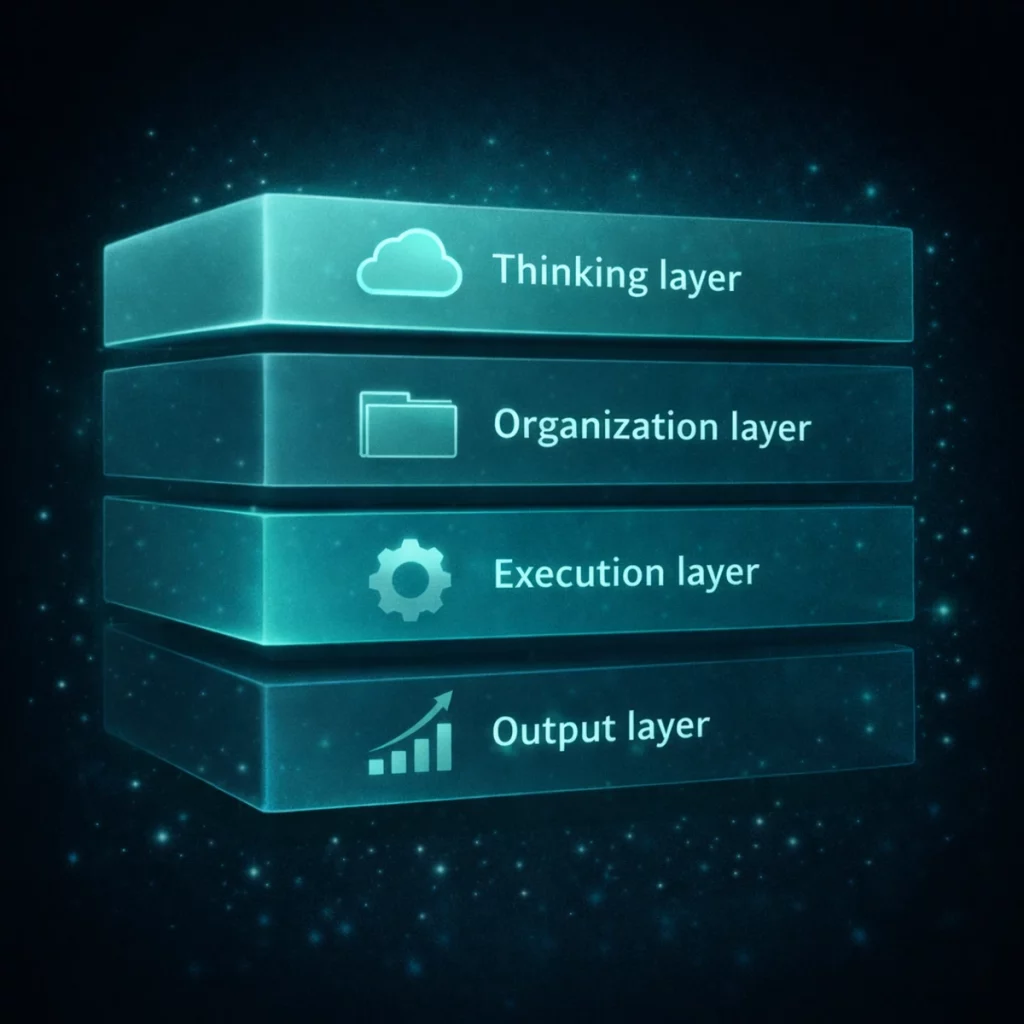
The biggest productivity gains in 2026 don’t come from “one perfect AI app”.
They come from combining tools into lightweight stacks:
- Thinking layer: ChatGPT
- Organization layer: Notion AI
- Execution layer: Zapier
- Output layer: AdCreative.ai or ElevenLabs
Each tool removes friction at a different stage. Together, they compound.
Common Mistakes When Choosing AI Productivity Tools
- Collecting tools instead of improving workflows
- Ignoring setup and learning costs
- Chasing features instead of outcomes
- Expecting AI to replace thinking instead of supporting it
Start with one tool. Measure impact. Expand deliberately.
Final Thoughts: Choosing the Right AI Tools in 2026
AI productivity isn’t about working faster — it’s about working with less friction.
The tools above are not magic. But when integrated intentionally, they free up time, attention, and decision energy — the things that compound over time.
Start small. Test deliberately. Build a stack that fits how you work.