Best AI Image Generation Tools in 2026: Compare Top AI Image Generators
Compare the best AI image generation tools in 2026. Learn how Midjourney, ChatGPT Images, Ideogram, Adobe Firefly, Stable Diffusion and FLUX fit different creative workflows.
Modern AI image generation tools help creators turn prompts into professional visual assets.
Introduction — Why AI Image Generation Became Core Creative Infrastructure
Visual content has become one of the most valuable assets in digital communication.
Whether you’re publishing blog articles, running advertising campaigns, building an ecommerce store, managing social media, or launching new products, high-quality visuals are no longer optional. They help explain complex ideas, strengthen brand identity, improve engagement, and often determine whether someone clicks, reads, or buys.
The challenge has traditionally been production.
Creating professional images required designers, photographers, illustrators, stock libraries, editing software, and multiple rounds of revisions. Even relatively simple marketing graphics could take hours—or days—to produce. For many businesses and creators, producing visual content at scale simply wasn’t practical.
Artificial intelligence is fundamentally changing that workflow.
Modern AI image generation tools can transform written prompts into professional-quality illustrations, marketing graphics, concept art, product mockups, blog visuals, social media assets, and photo-realistic images within minutes. They can also edit existing images, generate multiple creative variations, expand compositions, and automate repetitive design tasks that once required specialist software.
But the real advantage is not that AI creates images.
The real advantage is that AI dramatically reduces the friction between an idea and a usable visual asset.
As image generation models continue to improve, competitive advantage is shifting away from production capability and toward creativity, workflow design, brand consistency, and speed of execution. The organizations creating the most effective visual content are not necessarily those with the largest design teams—they are the ones building efficient, repeatable production systems powered by AI.
Yet much of the advice available online still revolves around feature comparisons, prompt collections, or endless lists of AI image generators. Professionals rarely choose a platform because it offers the longest feature list. They want to know which tools consistently produce usable results, how modern image generation actually works, and how AI fits into a scalable content workflow.
That is exactly what this guide covers.
Rather than focusing on hype, we’ll explain how AI image generation works, compare the leading image creation platforms available in 2026, examine practical business use cases, explore modern production workflows, discuss current limitations, and help you choose the right tool for your specific needs.
Whether you’re a content creator producing blog visuals, a marketer building campaigns, a designer accelerating creative work, or a business looking to scale visual production, understanding AI image generation is quickly becoming an essential digital skill rather than an optional advantage.
If you’re new to the broader AI ecosystem, start with our AI Tools Hub for an overview of modern AI software categories. To understand how image generation fits into larger content pipelines, explore our guides on AI Content Creation Tools, AI Video Tools, and the AI Workflow Guide.
AI image generation is no longer about replacing designers or creating artwork with a single prompt. It is about building faster, smarter, and more scalable visual production workflows that help people and businesses communicate more effectively.
In the sections that follow, we’ll explain how modern AI image models work, compare today’s leading platforms, explore real-world applications, and show how AI image generation is transforming digital content creation in 2026.
What Are AI Image Generation Tools?
AI image generation tools use artificial intelligence to create, edit, and transform visual content. Instead of designing an image manually, users describe what they want in natural language, upload an existing image, or combine both approaches to produce entirely new visuals within minutes.
What makes these tools valuable is not simply their ability to generate images. They reduce the time, cost, and technical expertise traditionally required to produce professional visual assets. A marketer can create campaign graphics without waiting for a design team, a publisher can generate custom illustrations for articles, and an ecommerce business can produce product visuals without organizing expensive photoshoots.
Modern image generation platforms have also evolved beyond simple text-to-image models. Most leading tools now support image editing, background replacement, object removal, style transfer, image expansion, and AI upscaling. Instead of creating a single image, they help users build complete visual workflows that move from concept to finished asset with far less manual work.
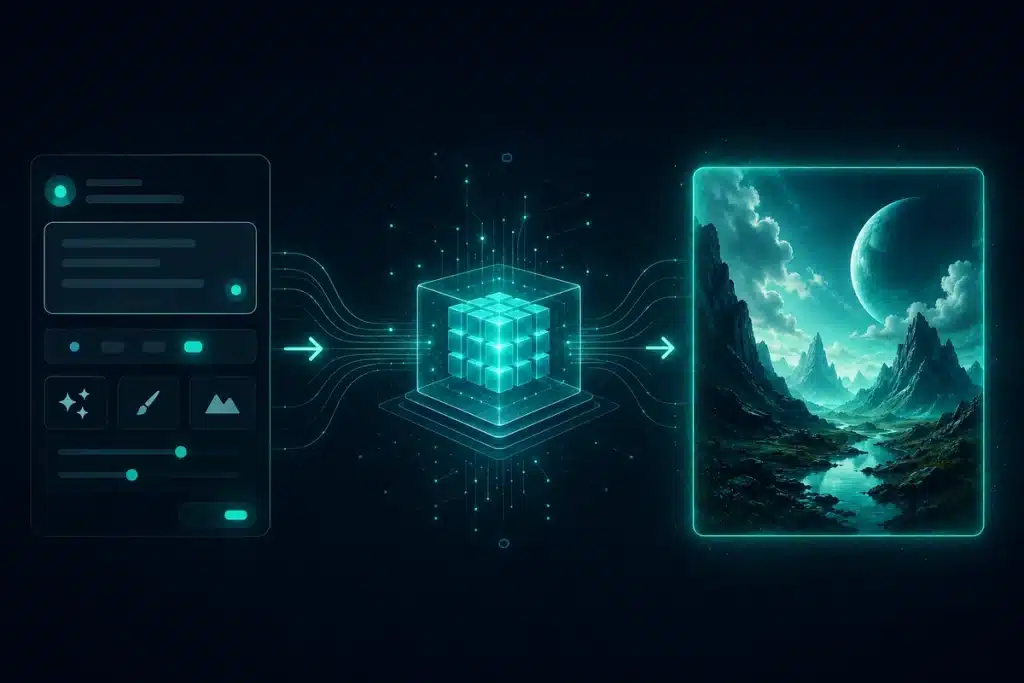
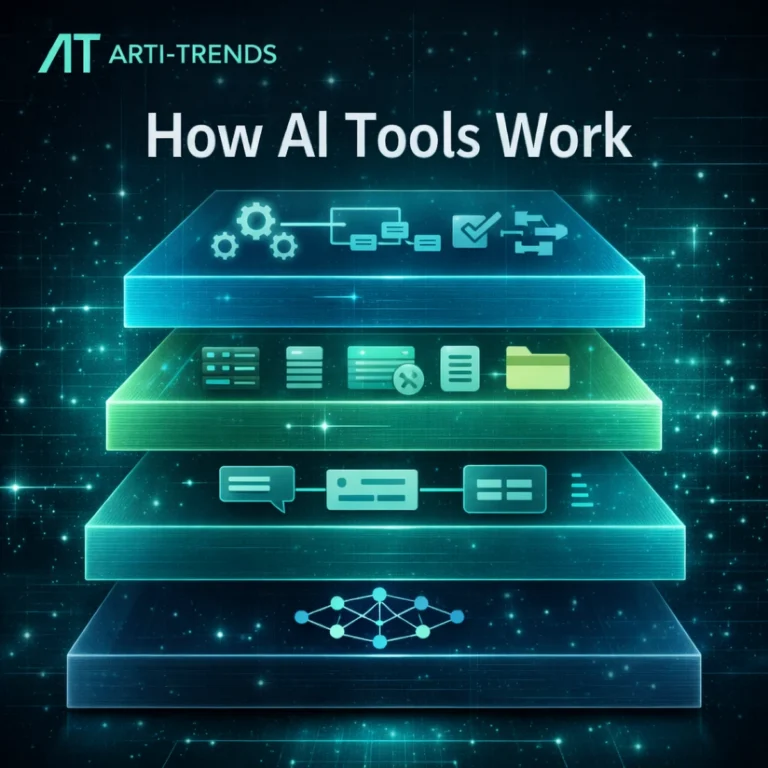
AI image tools turn written prompts into finished visual assets through generative models.
AI image generation is no longer just about creating pictures. It is about accelerating the entire visual production process.
This shift is changing how organizations create content. Rather than spending hours searching stock libraries or producing every graphic from scratch, teams can generate multiple creative directions, refine the strongest concepts, and publish visual content significantly faster while maintaining brand consistency.
From Text Prompts to Complete Visual Workflows
Most people associate AI image generation with typing a prompt and receiving an image. While text-to-image generation remains the foundation of the technology, modern platforms support much broader creative workflows. Users can generate entirely new visuals, edit existing images, create multiple design variations, improve image quality, expand compositions, and prepare assets for websites, presentations, advertising campaigns, and social media.
Increasingly, image generation is also becoming part of larger AI production pipelines. A single written brief can be transformed into an article, illustrated with AI-generated visuals, converted into short-form video, and distributed across multiple channels using AI-powered automation. As multimodal AI continues to mature, image generation is evolving from a standalone feature into a core component of modern digital content creation.
Why AI Image Generation Matters
AI image generation is often described as a creative breakthrough, but its biggest impact is operational. The real value doesn’t come from generating images with a single prompt. It comes from making visual production faster, more scalable, and accessible to almost every individual and business.
As digital communication becomes increasingly visual, organizations need a constant stream of high-quality graphics for websites, social media, advertising, newsletters, presentations, ecommerce stores, and editorial content. Producing those assets through traditional design workflows can quickly become expensive, time-consuming, and difficult to scale.
AI changes that equation by allowing teams to move from an idea to a finished visual in minutes instead of hours. More importantly, it enables rapid experimentation. Instead of investing heavily in a single design direction, creators can generate multiple concepts, compare different visual styles, and refine the strongest option before publishing.
This shift also changes how businesses think about content production. Rather than treating every graphic as a separate design project, AI makes it possible to build repeatable visual workflows. A single article can generate a cover image, supporting illustrations, social media graphics, newsletter visuals, and presentation assets while maintaining a consistent visual identity.
The greatest advantage of AI image generation isn’t creating better images. It’s creating more high-quality visuals with less time, lower costs, and greater creative flexibility.
That doesn’t mean AI replaces professional designers. Creative direction, branding, storytelling, and visual identity remain human responsibilities. Instead, AI removes much of the repetitive production work, allowing designers, marketers, and creators to focus on higher-value creative decisions.
As organizations continue to integrate AI into their content operations, competitive advantage is increasingly determined by workflow design rather than production capacity. The teams that can consistently create, refine, and distribute visual content at scale will often outperform those relying solely on traditional production methods.
The Best AI Image Generation Tools in 2026
AI image generation has evolved from a niche technology into an essential part of modern content creation. Whether you’re producing blog graphics, marketing campaigns, social media assets, product mockups, or creative concepts, today’s leading AI image generators can dramatically reduce production time while maintaining impressive visual quality.
The market, however, has become increasingly crowded. New platforms appear almost every month, making it difficult to determine which tools genuinely improve your workflow and which simply offer another variation of the same technology. The most important difference is no longer image quality alone—it’s how effectively each platform helps you create, refine, and scale visual content.
If you’re looking to explore more AI software categories, visit our AI Tools Hub, where you’ll find in-depth guides, reviews, and comparisons covering today’s most important AI platforms.
The best AI image generator isn’t the one with the most features. It’s the one that helps you create better visual content with the least amount of friction.
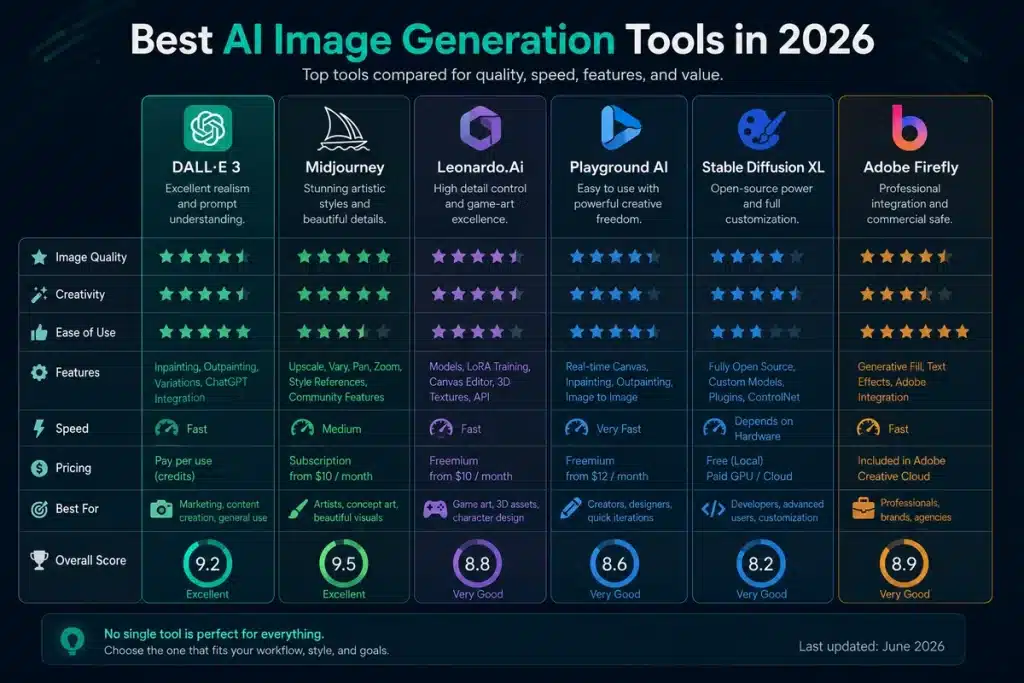
A practical comparison of leading AI image generation tools for different creative workflows.
Midjourney — Best for Artistic and Editorial Visuals
Midjourney continues to set the standard for artistic image generation. Its cinematic compositions, rich textures, and highly polished visual style make it one of the strongest choices for editorial illustrations, blog covers, concept art, advertising campaigns, and creative branding projects. Rather than focusing on technical editing features, Midjourney excels at producing visuals that immediately stand out and often require very little post-processing.
ChatGPT Images (Dalle 3) — Best for Everyday Content Creation
ChatGPT Images combines image generation with one of the world’s most widely used AI assistants. Instead of switching between different applications, users can brainstorm ideas, improve prompts, generate visuals, edit existing images, and refine concepts within a single conversation. This integrated workflow makes it particularly valuable for bloggers, marketers, educators, and businesses that regularly produce written and visual content together.
Ideogram — Best for Marketing Graphics and Typography
Most AI image generators still struggle to render clean, readable text, but Ideogram has built its reputation around solving exactly that challenge. It consistently produces high-quality graphics that combine strong visuals with accurate typography, making it an excellent choice for posters, presentations, advertisements, social media graphics, banners, and promotional material where text is a central part of the design.
Adobe Firefly — Best for Professional Creative Workflows
Adobe Firefly is designed for creative professionals and organisations already working within the Adobe Creative Cloud ecosystem. Its integration with Photoshop and Illustrator allows designers to accelerate existing workflows without changing the tools they already rely on. Combined with Adobe’s focus on commercially safe AI generation, Firefly has become a popular choice for agencies, enterprise marketing teams, and businesses producing branded content at scale.
Unlike commercial platforms that focus on simplicity, Stable Diffusion and FLUX provide advanced users with significantly more flexibility. These open models support custom workflows, private deployments, API integrations, model fine-tuning, and workflow automation, making them the preferred choice for developers, agencies, research teams, and organisations building their own AI-powered creative systems. Although they require more technical expertise, they offer a level of control that few commercial platforms can match.
Which AI Image Generator Is Right for You?
There is no single platform that is best for everyone. Midjourney remains the benchmark for artistic quality, ChatGPT Images offers one of the most practical all-round experiences, Ideogram leads the market for typography, Adobe Firefly integrates seamlessly into professional design environments, and Stable Diffusion or FLUX provide unmatched flexibility for technical users.
Ultimately, the right choice depends on your workflow, your level of experience, and the type of visual content you create most often. As AI image generation continues to evolve, the biggest competitive advantage won’t come from using every new tool—it will come from choosing the platform that consistently helps you create high-quality visuals faster and more efficiently.
How to Choose the Right AI Image Tool
Choosing the right AI image generator depends less on which platform looks most impressive and more on what you need the tool to do inside your workflow. A creator making artistic blog covers has different needs than a marketing team producing weekly campaign assets, a designer working inside Adobe Creative Cloud, or a developer building a custom visual production system.
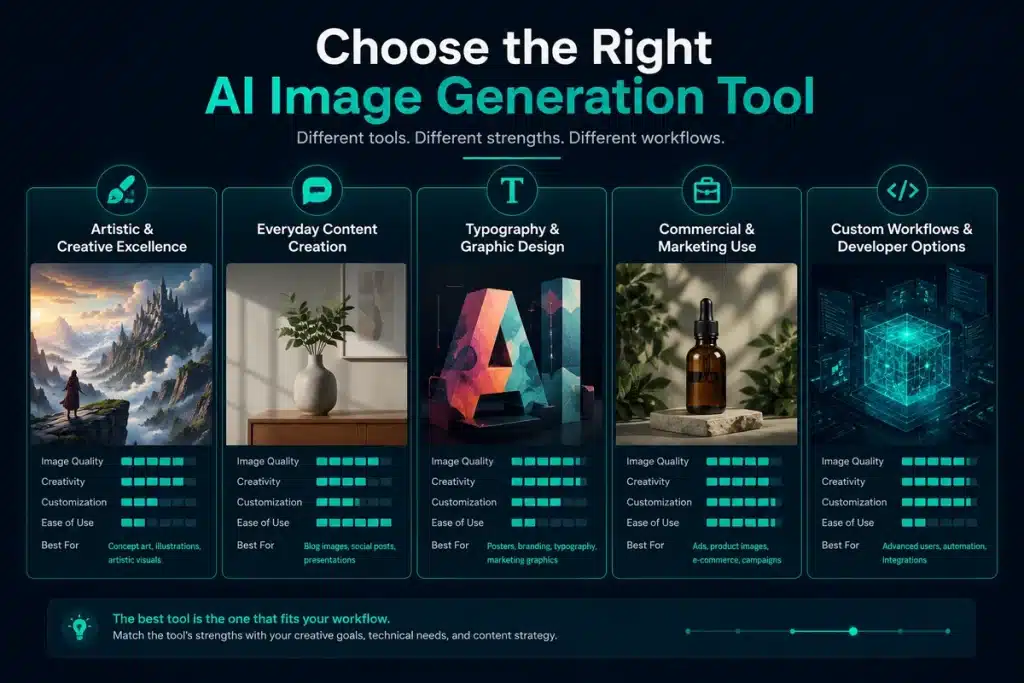
This is why the best starting point is not the tool itself, but the type of visual content you want to create. If your priority is artistic quality, Midjourney is often the strongest choice. If you need a practical all-round workflow for content creation, ChatGPT Images is easier to integrate into writing and planning tasks. If your designs rely heavily on readable text, Ideogram is usually a better fit. For professional design teams, Adobe Firefly makes more sense because it connects directly with existing creative software. For technical users, Stable Diffusion and FLUX offer far more control.
The right AI image tool is the one that removes the biggest bottleneck in your creative process.
The best AI image generator depends on your creative workflow, content goals and level of control.
Ease of use is another important factor. Some tools are designed for beginners who want strong results quickly, while others require more experimentation, prompt knowledge, or technical setup. A simple interface may be more valuable than advanced customization if your goal is to publish faster. On the other hand, if you need private generation, model control, or automated workflows, technical flexibility becomes more important than convenience.
Commercial use should also be part of your decision. Businesses creating customer-facing visuals need to understand each platform’s licensing terms, usage rights, and brand safety limitations. This is especially important for advertising, ecommerce, corporate design, and any content where legal or reputational risk matters. For more guidance, read our AI Tool Safety guide.
Finally, think beyond the first image. The strongest AI image workflows involve generating multiple versions, refining the best concept, resizing the output, optimizing it for web performance, and reusing it across channels. A tool that creates one beautiful image may be less valuable than a tool that helps you create a repeatable production system.
For most users, the smartest approach is to choose one primary image generator and one specialist tool. For example, a blogger might use ChatGPT Images for everyday article visuals and Midjourney for premium cover images. A marketer might use Ideogram for typography-heavy ads and Adobe Firefly for brand-safe campaign work. A developer or agency might build around Stable Diffusion or FLUX while still using commercial platforms for fast creative exploration.
In the end, the best AI image generator is not the platform with the most impressive demo. It is the platform that helps you produce consistent, useful, high-quality visuals with the least amount of friction.
The AI Image Production Workflow in 2026
The biggest mistake many users make with AI image generation is treating it as a one-step process. They write a prompt, generate one image, and either accept the result or start over. That approach can work for quick experiments, but it rarely produces consistent professional visuals.
The best results come from a structured workflow. AI image generation works most effectively when it is treated as part of a complete production process: define the goal, create a visual brief, generate several directions, refine the strongest option, optimize the final image, and reuse it across multiple channels.
AI image generation creates visuals. Workflow design creates scale.
Start With the Job of the Image
Before opening an AI image generator, define what the image needs to accomplish. A blog cover should attract clicks and communicate the topic quickly. An in-article visual should explain an idea. A product mockup should make a concept feel tangible. A social media graphic should stop someone from scrolling.
This matters because the same subject can require completely different visual treatment depending on its purpose. An image about artificial intelligence for a technical guide should look different from an image about AI for a social media campaign or an investor presentation.
Create a Simple Visual Brief
Once the goal is clear, turn it into a short visual brief. This does not need to be complicated. A good brief usually defines the subject, audience, format, style, mood, brand colors, composition, and anything the image should avoid.
For example, a visual brief for a technology blog might say: create a clean editorial image about AI image generation, use a dark navy background with teal accents, keep the composition modern and uncluttered, avoid fake logos or unreadable text, and make the image suitable for a square blog cover.
This kind of brief gives the model direction without overloading it. It also makes your results easier to repeat across multiple images, which is essential for brand consistency.
Generate Multiple Directions Before Refining
Professional creators rarely settle for the first output. The stronger approach is to generate several different visual directions before choosing one to refine. This allows you to compare composition, mood, color, clarity, and overall usefulness before investing time in editing.
In practice, this might mean creating three to six variations from the same brief. One version could be more editorial, another more cinematic, another more minimal, and another more product-focused. The goal is not to generate more images for the sake of it. The goal is to widen the creative field before narrowing in on the strongest option.
Refine the Strongest Concept
Once you have a strong base image, the workflow moves into refinement. This is where editing features become more important than raw generation quality. You may need to remove distracting objects, fix distorted details, adjust the background, improve lighting, expand the canvas, or create a version that fits a different aspect ratio.
Modern AI image tools increasingly support these edits through natural language. Instead of rebuilding the entire visual, you can make targeted adjustments while preserving the overall composition. This makes the process faster and helps maintain consistency across related assets.
Optimize the Final Image for Publishing
A good AI-generated image still needs basic publishing preparation. For websites, this usually means exporting the image in the correct dimensions, compressing the file, using a modern format such as WebP, writing descriptive alt text, and giving the file a clear SEO-friendly name.
This step is easy to overlook, but it matters. Large, uncompressed images can slow down a page, while vague filenames and missing alt text reduce search visibility and accessibility. AI can help create the asset, but the final publishing workflow determines whether that asset performs well online.
Reuse the Visual Across Channels
The real value of AI image generation appears when one visual concept becomes multiple assets. A single article image can be adapted into a blog cover, a LinkedIn post, a newsletter graphic, a presentation slide, a Pinterest image, or even a reference frame for an AI video workflow.
This is where AI becomes more than a design shortcut. It becomes part of a scalable content system. Instead of creating every visual from scratch, teams can build repeatable workflows that turn one idea into a complete set of brand-consistent assets.
For a broader look at how different AI tools work together inside content operations, read our AI Workflow Guide and our guide to AI Video Tools.
Real-World Use Cases for AI Image Generation
The value of AI image generation becomes clearest when you look at how it is used in real workflows. The technology is not only useful for creating experimental artwork. It is increasingly used by publishers, marketers, ecommerce businesses, educators, agencies, and creators who need high-quality visual content on a regular basis.
The most successful use cases are not driven by novelty. They are driven by production needs. AI image tools help teams create more visual assets, test more creative directions, and support more content formats without dramatically increasing cost or complexity.
AI image generation is most valuable when it solves a real content bottleneck.
Blog and Editorial Visuals
One of the most practical applications is editorial content. Blogs, media sites, newsletters, and knowledge platforms constantly need cover images, article illustrations, explainers, and supporting visuals. Relying only on stock photography often leads to generic results, while custom design can become expensive when publishing frequently.
AI image tools make it possible to create visuals that match the exact topic of an article. A guide about AI automation can use a custom workflow illustration, a tool comparison can include abstract product visuals, and a news article can use an editorial-style image that communicates the subject without relying on overused stock photos.
This is particularly useful for content teams that publish at scale. Instead of treating every article visual as a separate design project, AI allows publishers to build a repeatable visual system around formats, colors, compositions, and brand style.
Marketing Campaigns and Advertising Creatives
Marketing teams use AI image generation to create campaign concepts, ad variations, landing page visuals, and social media assets faster than traditional workflows allow. The biggest advantage is not just speed, but experimentation.
Instead of committing to one visual direction, teams can test multiple styles, messages, formats, and compositions before selecting the strongest creative. This is especially valuable for paid advertising, where small differences in imagery can influence click-through rates, engagement, and conversion performance.
AI does not remove the need for brand strategy or creative judgment, but it makes the testing process faster and less expensive. For modern marketers, that shorter feedback loop can become a meaningful competitive advantage.
Social Media Content
Social media platforms reward visual consistency, speed, and variety. AI image tools help creators and brands produce graphics for LinkedIn, Instagram, X, Pinterest, YouTube thumbnails, and short-form video covers without rebuilding every asset manually.
A single concept can be adapted into multiple formats, such as a square post, vertical story, carousel cover, thumbnail, and newsletter header. This makes AI especially useful for creators who need to maintain a regular publishing schedule across several platforms.
The strongest results usually come from combining AI-generated visuals with consistent brand rules: recurring colors, layout patterns, typography, and editorial style. Used this way, AI becomes part of a larger content system rather than a random image generator.
Ecommerce and Product Visualization
Ecommerce businesses can use AI image generation to create product mockups, lifestyle scenes, packaging concepts, promotional visuals, and early-stage design ideas. This is especially useful before investing in professional photography or full product production.
For example, a brand can visualize how a product might look in different environments, create seasonal campaign concepts, or explore packaging directions before committing to a final design. AI-generated product visuals should still be reviewed carefully for accuracy, but they can dramatically accelerate the concept and planning stage.
As image-to-video workflows improve, these product visuals can also become the starting point for promotional clips, product demos, and social media videos.
Branding and Visual Identity
AI image tools can support branding work by helping teams explore visual directions, mood boards, background styles, icon concepts, hero images, and campaign systems. They are particularly useful in the early creative phase, when teams need to compare different aesthetics quickly.
However, brand work requires more control than general image generation. Logos, typography, official colors, and product details should usually be handled through a proper design layer rather than left entirely to the model. The best workflows combine AI-generated concepts with human design review and final editing.
Used correctly, AI can speed up the exploration phase while designers maintain responsibility for final brand accuracy and consistency.
Storyboarding for AI Video
AI image generation is also becoming an important part of video production. Before generating a video, creators often use image tools to define characters, environments, product scenes, or visual direction. These images can then be used as references for image-to-video platforms.
This workflow is useful because video generation is easier to control when the visual direction is already clear. Instead of asking a video model to invent everything from scratch, creators can start with strong reference frames and then add motion, camera movement, narration, and editing.
For a deeper look at this workflow, explore our guide to AI Video Tools.
The Bigger Picture
Across all of these use cases, the pattern is the same. AI image generation is most valuable when it helps users move faster from idea to usable asset. It reduces production friction, increases creative experimentation, and makes visual content easier to scale across channels.
The strongest users are not simply generating more images. They are building smarter visual workflows around content strategy, brand consistency, quality control, and distribution.
Prompting Framework for Better AI Images
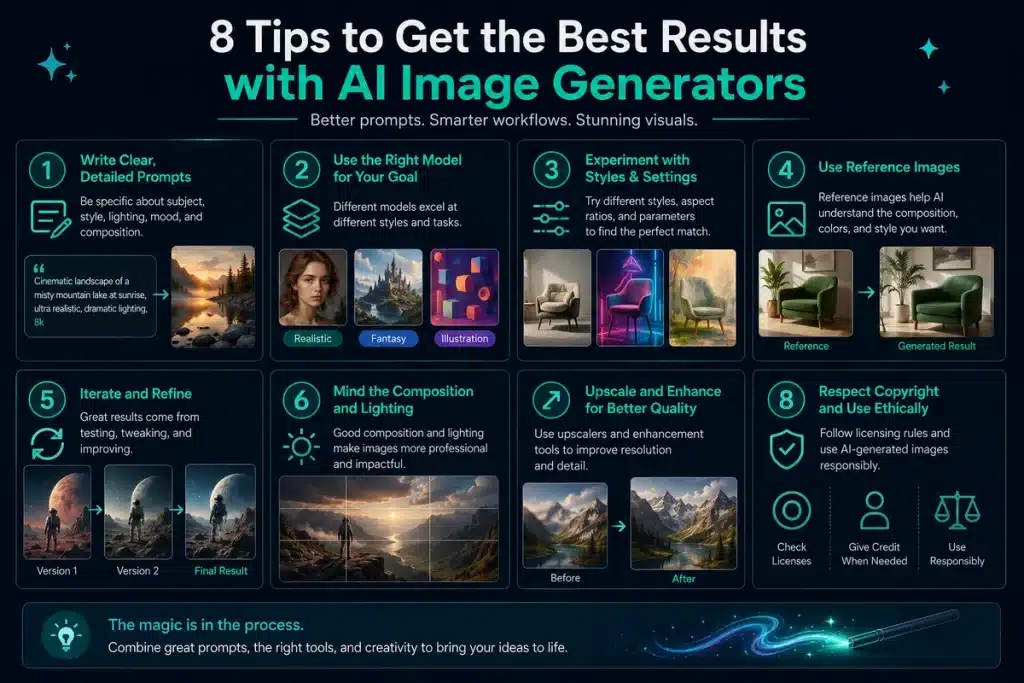
AI image quality depends heavily on the quality of the prompt. A vague prompt usually produces a generic image, while a clear visual brief gives the model enough direction to create something more useful, consistent, and aligned with your goal.
The best prompts are not necessarily long. In many cases, shorter prompts work better when they clearly define the subject, purpose, style, composition, lighting, and constraints. The goal is to guide the model without overwhelming it.
A strong image prompt describes the job of the visual, not just the objects inside it.
Better AI-generated images come from clear prompts, the right model, iteration, and responsible quality control.
The 6-Part Image Prompt Formula
A practical image prompt usually includes six elements: the subject, the purpose, the visual style, the composition, the lighting, and the constraints. Together, these elements help the model understand both what to create and how the final image should feel.
For example, instead of writing:
“AI image generation tool.”
You could write:
“Create a clean editorial illustration of an AI image generation workflow for a technology blog. Use a dark navy background with teal accents, a modern digital interface, soft lighting, balanced composition, no text, no logos, and no distorted hands.”
The second prompt is more useful because it defines the intended format, audience, visual direction, brand style, and quality boundaries. That gives the model a much clearer target.
Use Constraints to Improve Quality
Constraints are one of the easiest ways to improve AI-generated images. They tell the model what to avoid, which is especially important when creating professional assets for websites, ads, product pages, or brand campaigns.
Useful constraints include instructions such as “no text,” “no watermark,” “no fake logos,” “clean background,” “realistic proportions,” “brand-safe,” or “simple composition.” These small additions can reduce common problems such as unreadable typography, visual clutter, distorted details, or accidental brand inaccuracies.
This matters because AI models often try to add extra detail when the prompt is too open. For editorial and marketing visuals, simpler outputs are often more effective than highly detailed images that distract from the message.
Build Reusable Brand Prompt Blocks
If you create images regularly, it helps to build reusable prompt blocks for your brand. These are short style descriptions that can be added to different prompts to keep visuals consistent across articles, social posts, newsletters, and presentations.
For example, a technology brand might use a recurring style block such as:
“Dark navy background, teal accent glow, premium editorial technology style, clean composition, soft gradients, minimal text, modern interface elements.”
Using the same visual language repeatedly helps create recognition. Over time, your images begin to feel like part of one coherent content system rather than a collection of unrelated AI-generated visuals.
Prompt Examples for Common Use Cases
For a blog cover, focus on clarity and click appeal:
“Create a premium editorial cover image about AI image generation tools. Use a dark technology background, teal highlights, abstract creative interface elements, strong central composition, clean lighting, no text, no logos.”
For a social media graphic, focus on simplicity and contrast:
“Create a clean social media visual about AI creativity. Use bold contrast, minimal composition, teal and dark blue color palette, strong focal point, empty space for headline placement, no watermark.”
For a product mockup, focus on realism and presentation:
“Create a photorealistic product mockup of a modern AI software dashboard displayed on a laptop. Use studio lighting, clean background, realistic reflections, premium SaaS aesthetic, no readable fake text.”
For an image-to-video reference, focus on scene direction:
“Create a cinematic reference frame of a futuristic AI control room with glowing interface panels, subtle depth, dark blue and teal lighting, realistic atmosphere, wide composition, no text.”
These examples are starting points rather than fixed templates. The strongest results usually come from testing several variations, comparing the outputs, and refining the best direction based on the actual purpose of the image.
For deeper prompting techniques across text, image, and workflow tasks, read our AI Prompt Writing Guide.
Limitations, Risks and Quality Control
AI image generation has become far more reliable, but it is not flawless. The best tools can produce impressive visuals within minutes, yet they can still make mistakes that matter in professional, commercial, or editorial contexts.
This is why AI-generated images should not be treated as finished assets automatically. They need review, refinement, and sometimes manual editing before they are used in articles, advertisements, product pages, brand campaigns, or customer-facing materials.
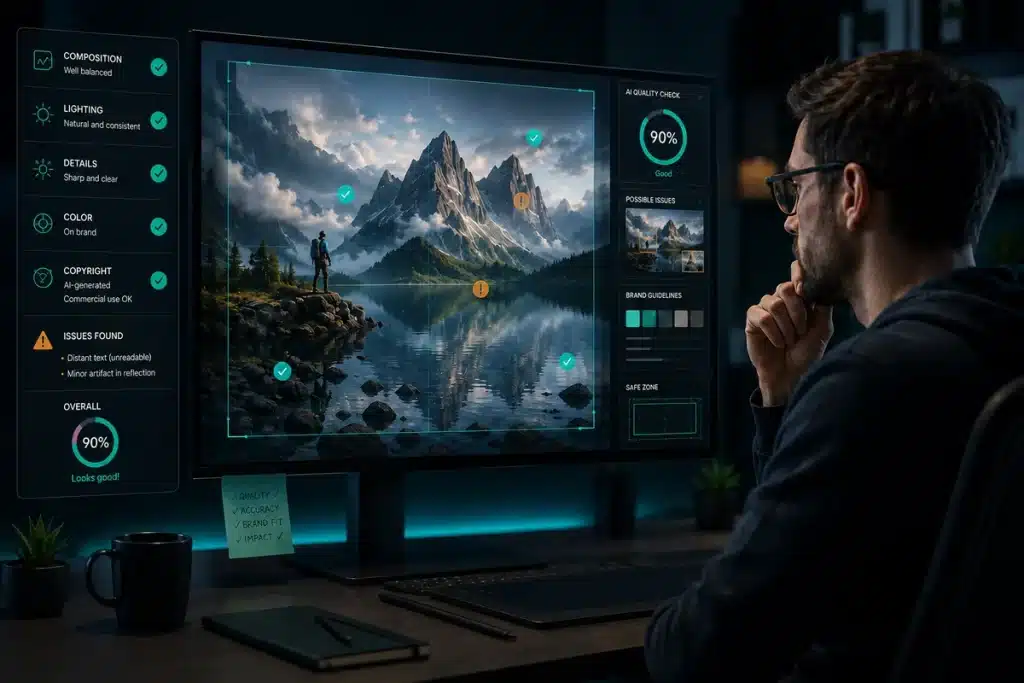
AI image tools speed up production, but human review remains essential before publishing.
Copyright and Commercial Usage
Copyright remains one of the most important considerations when using AI-generated images. Different platforms have different rules around training data, commercial usage, ownership, and licensing. This matters especially for businesses using AI visuals in advertising, ecommerce, branding, or paid campaigns.
As a general rule, avoid generating images that imitate living artists, copyrighted characters, protected brand assets, or recognizable logos unless you have the right to use them. Even when a platform allows commercial use, businesses should review the terms carefully before publishing AI-generated visuals at scale.
For teams that need stronger commercial confidence, tools such as Adobe Firefly are often attractive because they are designed with enterprise and licensing concerns in mind. Still, legal and brand review should remain part of any serious AI image workflow.
Brand Accuracy and Fake Details
AI models are good at creating images that look convincing, but they are not always accurate. They may invent interface elements, distort product details, create fake text, or generate logos that resemble real brands without being correct. This can become a serious problem when visuals are used in product reviews, software comparisons, news articles, or brand campaigns.
For official logos, product screenshots, UI elements, and brand-specific visuals, it is usually safer to use verified assets and add them manually in a design layer. AI can create the background, concept, mood, or composition, but important brand elements should be checked and controlled by a human editor.
The Generic “AI Look”
Another common issue is the overly polished visual style often associated with AI-generated images. Some outputs look too glossy, too symmetrical, too cinematic, or too similar to other AI visuals online. This can weaken credibility, especially for editorial content, business websites, or brands trying to build a distinctive identity.
The solution is usually to simplify the prompt. Use clearer compositions, fewer style modifiers, more realistic lighting, and stronger brand constraints. In many cases, a clean editorial visual performs better than a highly detailed image filled with unnecessary effects.
Human Subjects and Visual Artifacts
Although image models have improved significantly, they can still struggle with human details such as hands, eyes, facial symmetry, posture, clothing, and realistic body proportions. Complex scenes can also produce visual artifacts, inconsistent shadows, distorted objects, or elements that appear correct at first glance but break down under closer inspection.
This is especially important when creating images for professional use. A visual that looks acceptable in a small preview may contain issues that become obvious once it is published at full size. Reviewing images at the final display size is therefore an important part of quality control.
Bias and Representation
AI image models are trained on large datasets that may reflect cultural, social, or visual biases. As a result, they can sometimes produce stereotypical representations, narrow assumptions about professions or roles, or a lack of diversity in generated scenes.
Creators should be intentional when prompting for people, teams, customers, or workplace scenes. Clear direction around representation, context, and tone can help reduce unwanted bias, but human review remains essential.
Quality Control Before Publishing
A practical AI image workflow should always include a final review step. Before publishing, check whether the image matches the topic, supports the reader, respects brand guidelines, avoids misleading details, and works well in the format where it will appear.
For web publishing, also check technical quality. The image should be correctly cropped, compressed, exported in an efficient format such as WebP, given a descriptive filename, and supported by useful alt text. This improves page speed, accessibility, and search performance.
Used responsibly, AI image tools can dramatically improve production speed without lowering quality. The key is to treat AI as a creative accelerator, not as an unsupervised publishing system.
AI image generation is still developing quickly. The tools available today are already powerful, but the next phase will be less about generating isolated images and more about building complete creative systems. Image generation will become more controlled, more consistent, and more deeply connected to writing, video, design, ecommerce, and automation workflows.
The biggest improvements will likely come from control. Early image generators were impressive but unpredictable. Users could create beautiful visuals, but they often had limited influence over layout, typography, characters, brand elements, or exact details. Newer systems are moving toward more precise editing, better reference-image control, stronger brand consistency, and more reliable outputs across multiple formats.
The future of AI image generation is not just better images. It is better creative control.
Text inside images is also improving. This matters because many professional visuals are not pure illustrations. They include headlines, labels, product names, interface elements, presentation text, or advertising copy. As typography becomes more reliable, AI image tools will become more useful for marketing graphics, social media content, ecommerce visuals, and business communication.
Another major shift is the connection between image and video generation. Static images are increasingly becoming the starting point for motion. A single AI-generated visual can become a storyboard frame, a video reference, an animated product scene, or a short-form social clip. This makes image generation an important foundation for the next generation of AI video workflows.
For creators and businesses, this means the boundaries between content formats will continue to blur. A single idea may soon generate a blog image, social post, video clip, ad creative, newsletter graphic, and presentation asset from the same creative brief. Instead of thinking in separate tools, teams will increasingly build unified production systems around reusable prompts, brand guidelines, templates, and review processes.
AI agents will also play a larger role. Instead of asking a tool to create one image, users will increasingly ask an AI system to plan and produce a complete visual package. For example, a marketing team might request a full campaign asset set for a product launch, including concept visuals, ad variations, social graphics, thumbnail ideas, and image-to-video references.
This does not mean human creativity becomes less important. It means creative direction becomes more important. As production becomes easier, the real advantage shifts toward knowing what to create, why it matters, how it supports the brand, and how it fits into a wider content strategy.
For a broader look at how AI-generated visuals connect with moving content, read our guide to AI Video Tools. You can also explore our AI Automation Tools guide to understand how creative workflows are becoming increasingly automated.
The future of AI image generation belongs to creators and organisations that treat these tools as part of a larger visual production system. The winners will not simply generate more images. They will build smarter workflows that turn ideas into consistent, useful, and brand-ready assets faster than traditional production methods allow.
Frequently Asked Questions
What are AI image generation tools?
AI image generation tools are software platforms that use artificial intelligence to create or edit visual content. Users can generate images from text prompts, transform existing images, remove objects, change backgrounds, create variations, and produce visuals for blogs, social media, marketing, ecommerce, presentations, and creative projects.
What is the best AI image generator in 2026?
There is no single best AI image generator for every user. Midjourney is strong for artistic and editorial visuals, ChatGPT Images is practical for everyday content creation, Ideogram is excellent for typography, Adobe Firefly fits professional creative workflows, and Stable Diffusion or FLUX are best for users who need customization and technical control.
Which AI image generator is best for beginners?
ChatGPT Images is one of the easiest options for beginners because image generation, prompt refinement, editing, and creative planning can happen inside the same conversation. Canva and Adobe Firefly can also be beginner-friendly for users who prefer template-based design or already work inside familiar creative tools.
Which AI image tool is best for text in images?
Ideogram is one of the strongest AI image tools for text-heavy visuals. It is especially useful for posters, banners, advertisements, social media graphics, and presentation-style images where readable typography is important. Most AI image generators have improved, but text accuracy still varies by platform.
Can AI image tools be used commercially?
Many AI image tools allow commercial use, but the exact rules depend on the platform, subscription plan, and licensing terms. Businesses should review usage rights carefully before using AI-generated images in ads, product pages, branding, or customer-facing campaigns. For higher commercial confidence, some teams prefer enterprise-focused platforms such as Adobe Firefly.
Can AI image generators create logos?
AI image generators can create logo concepts, but they are not ideal for final logo production. They may produce inconsistent shapes, unreadable text, or designs that resemble existing brands. For professional branding, AI is best used for inspiration and mood boards, while the final logo should be refined by a designer using proper vector tools.
What is the difference between text-to-image and image-to-image?
Text-to-image generation creates a new visual from a written prompt. Image-to-image generation starts with an existing image and transforms it into a new version, style, composition, or variation. Image-to-image workflows are useful for editing, concept development, brand consistency, and creating multiple versions of the same visual idea.
How do you make AI images look less generic?
To make AI images look less generic, use clearer creative direction, fewer overused style modifiers, stronger brand constraints, and more specific composition details. Avoid vague prompts such as “futuristic AI image” and instead define the purpose, audience, color palette, layout, mood, and what the image should avoid.
Are AI image generators useful for marketing?
Yes. AI image generators are especially useful for marketing teams that need campaign concepts, ad variations, blog visuals, social media graphics, product mockups, and branded content at scale. Their biggest advantage is faster creative experimentation, allowing teams to test more visual directions without dramatically increasing production costs.
What is the future of AI image generation?
The future of AI image generation will focus on better creative control, stronger brand consistency, improved typography, image-to-video workflows, and AI agents that can produce complete visual asset sets from a single brief. Image generation will increasingly become part of larger content production systems rather than a standalone creative tool.
Conclusion: AI Image Tools Are Becoming Visual Production Systems
AI image generation tools are no longer just creative toys or experimental prompt engines. They are becoming part of the modern visual production stack, helping creators, marketers, publishers, ecommerce brands, and businesses move from ideas to usable visual assets faster than traditional workflows allow.
The real value is not simply that these tools can create impressive images. The real value is that they reduce production friction. They make it easier to test ideas, generate variations, refine concepts, maintain visual consistency, and repurpose one creative direction across multiple channels.
That makes AI image generation especially powerful for teams that publish regularly. A single visual concept can support a blog article, social media post, newsletter, presentation, product mockup, ad creative, or even an AI video workflow. Used correctly, AI image tools become part of a scalable content system rather than a one-off design shortcut.
The future of visual content will not belong to the people who generate the most images. It will belong to the people who build the smartest workflows around them.
Still, quality control matters. AI can accelerate production, but it does not replace creative direction, brand judgment, legal awareness, or human review. The strongest results come from combining AI speed with clear strategy, consistent prompts, strong editorial standards, and careful publishing workflows.
For most users, the best approach is simple: choose the tool that fits your workflow, build a repeatable process, review every output carefully, and use AI to amplify your creative capacity rather than replace your creative thinking.
As image generation continues to improve, it will become increasingly connected to writing, video, automation, ecommerce, and brand systems. The organisations that learn how to use these tools strategically today will be better positioned to create faster, more consistent, and more effective visual content in the years ahead.
Related Reading
Explore more guides from the Arti-Trends AI tools ecosystem:
AI Tools Hub — explore the most important AI software categories.
To provide the best experiences, we use technologies like cookies to store and/or access device information. Consenting to these technologies will allow us to process data such as browsing behavior or unique IDs on this site. Not consenting or withdrawing consent, may adversely affect certain features and functions.
Functional
Always active
The technical storage or access is strictly necessary for the legitimate purpose of enabling the use of a specific service explicitly requested by the subscriber or user, or for the sole purpose of carrying out the transmission of a communication over an electronic communications network.
Preferences
The technical storage or access is necessary for the legitimate purpose of storing preferences that are not requested by the subscriber or user.
Statistics
The technical storage or access that is used exclusively for statistical purposes.The technical storage or access that is used exclusively for anonymous statistical purposes. Without a subpoena, voluntary compliance on the part of your Internet Service Provider, or additional records from a third party, information stored or retrieved for this purpose alone cannot usually be used to identify you.
Marketing
The technical storage or access is required to create user profiles to send advertising, or to track the user on a website or across several websites for similar marketing purposes.