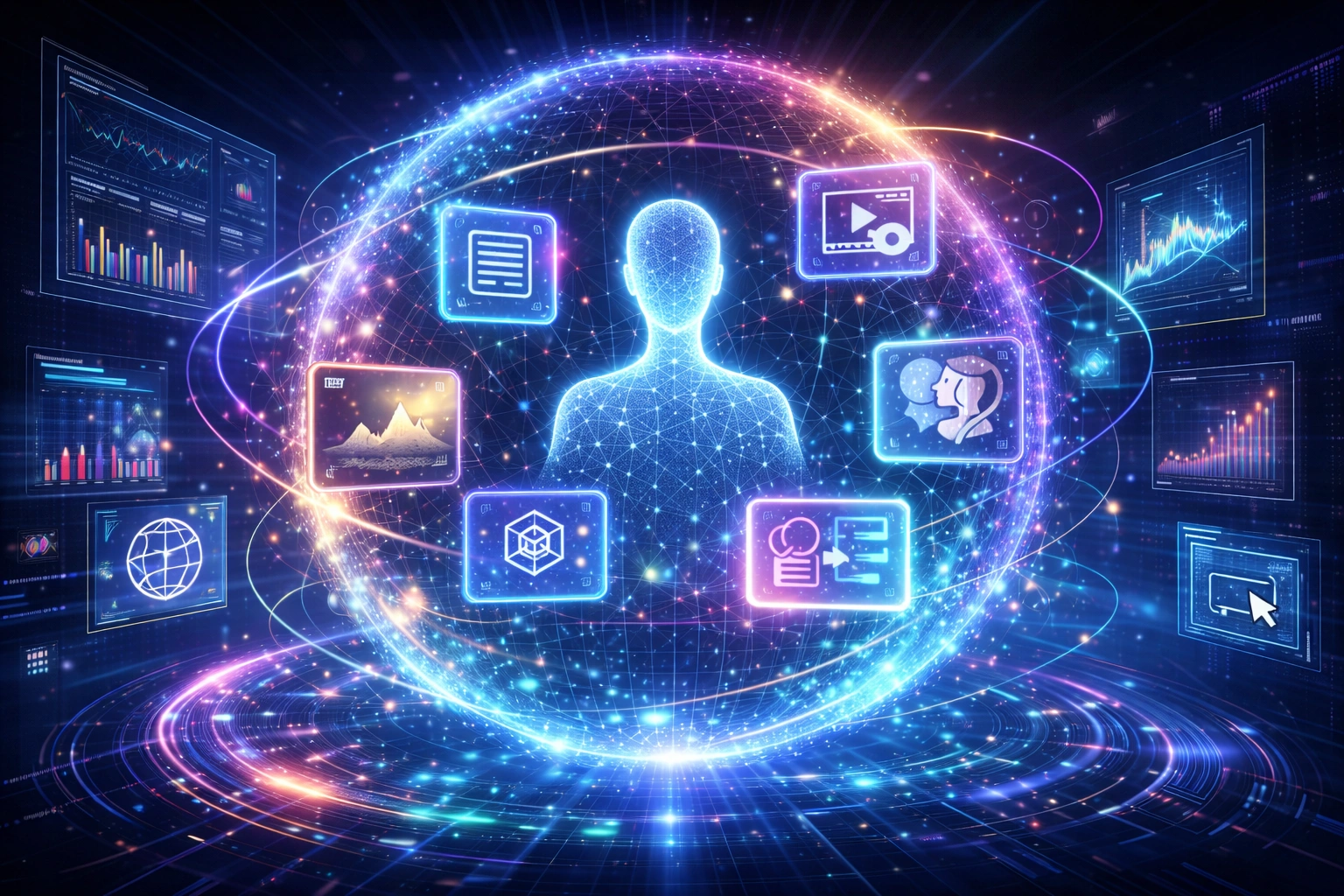
Multimodal AI is changing how humans interact with artificial intelligence. Instead of working with a single type of input such as text, modern AI systems can understand images, audio, video, documents, screenshots, and screen context within a single workflow.
From ChatGPT and Google Gemini to enterprise copilots and autonomous AI agents, the industry’s most advanced systems are increasingly multimodal by design. Rather than responding to isolated prompts, these systems can interpret situations, understand context, and combine multiple forms of information into a unified understanding of a task.
This shift represents one of the most important developments in artificial intelligence. As models gain the ability to see, hear, and interact with digital environments, AI is evolving from a text-based assistant into a context-aware collaborator.
What Is Multimodal AI?
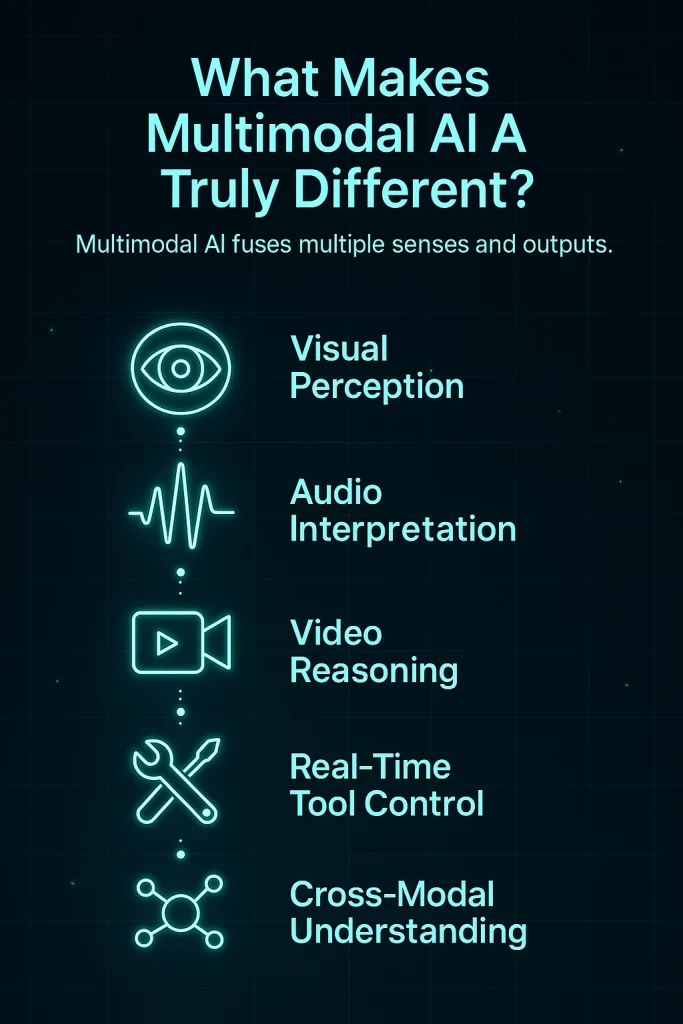
Multimodal AI refers to artificial intelligence systems that can process and reason across multiple forms of information simultaneously. These information sources may include text, images, audio, video, documents, screen context, and tool interactions.
Traditional AI systems typically operate within a single modality. A language model processes text. A computer vision model analyzes images. A speech model interprets audio. Multimodal AI combines these capabilities into a shared reasoning system, allowing the model to understand how different information sources relate to the same objective.
Instead of relying entirely on written instructions, multimodal systems can observe visual information, interpret spoken language, analyze supporting documents, and connect these inputs into a much richer understanding of context.
Why Multimodal AI Matters
The real world is multimodal.
Humans communicate through language, visuals, demonstrations, voice, documents, interfaces, and actions. Until recently, most AI systems could only interact through text. Every task had to be translated into written instructions before a model could understand it.
That limitation is rapidly disappearing.
A modern multimodal system can review a spreadsheet, analyze a dashboard screenshot, read supporting PDF documents, listen to spoken instructions, and generate a report based on all those inputs simultaneously.
This ability dramatically expands the range of problems AI can solve and explains why multimodal architectures are becoming the foundation of next-generation assistants, enterprise copilots, and autonomous AI agents.
How Multimodal AI Works
At a high level, multimodal AI operates through a perception–reasoning–action cycle.
Perception allows the system to gather information from text, images, audio, video, documents, and interfaces.
Reasoning combines these inputs into a shared representation that helps the model understand context, intent, and constraints.
Action enables the system to generate content, interact with tools, automate workflows, and perform tasks across applications.
Together, these capabilities transform AI from a reactive responder into an active participant in real-world workflows.
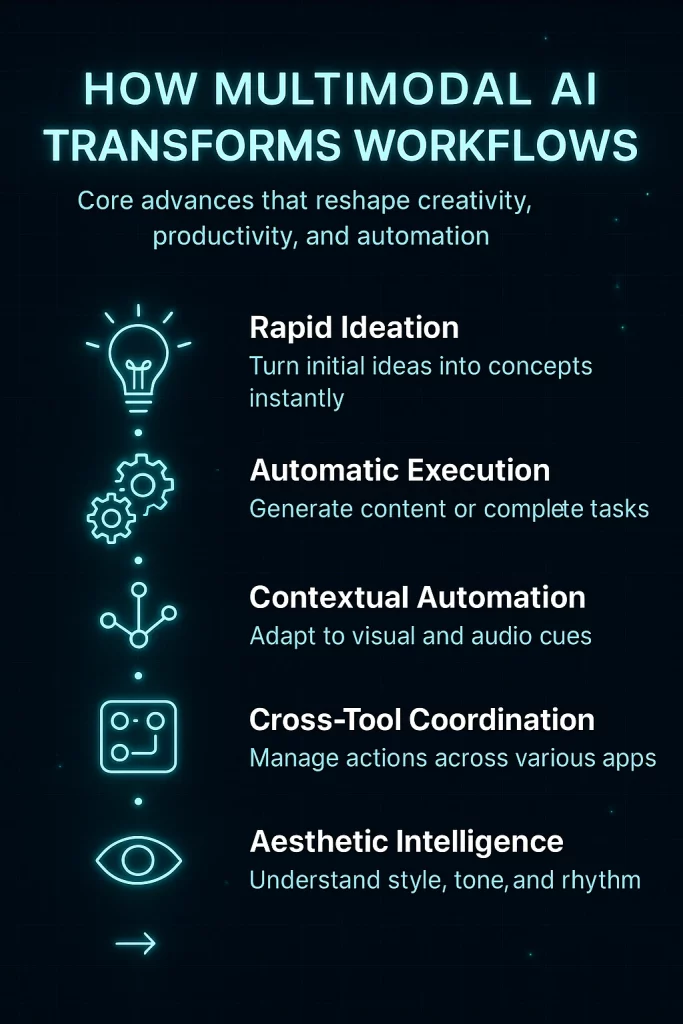
Multimodal AI vs Traditional AI
| Capability | Traditional AI | Multimodal AI |
|---|---|---|
| Text Understanding | Yes | Yes |
| Image Analysis | Separate Model | Integrated |
| Audio Processing | Separate Model | Integrated |
| Video Understanding | Limited | Integrated |
| Document Analysis | Limited | Integrated |
| Cross-Modal Reasoning | No | Yes |
| Tool Interaction | Limited | Increasingly Common |
The most important difference is not the number of inputs. The real breakthrough is the ability to connect information across modalities. Multimodal AI can understand how text, visuals, audio, and documents relate to the same objective and reason across them simultaneously.
Now that we’ve covered the fundamentals, let’s explore how multimodal AI differs from generative AI, how it relates to AI agents, and where it is already creating value in real-world workflows.
Multimodal AI vs Generative AI
Many people use the terms multimodal AI and generative AI interchangeably. While the technologies are closely related, they are not the same thing.
Generative AI focuses on creating content. These systems generate text, images, audio, video, code, and other outputs based on patterns learned during training.
Multimodal AI focuses on understanding and reasoning across multiple information sources. Instead of processing only text, multimodal systems combine images, audio, video, documents, screen context, and language into a unified understanding of a situation.
Many of today’s most advanced AI platforms combine both capabilities. A multimodal model may analyze a screenshot, interpret a PDF, listen to spoken instructions, and then generate a report, presentation, image, or workflow as an output.
| Feature | Generative AI | Multimodal AI |
|---|---|---|
| Creates Content | Yes | Often |
| Processes Text | Yes | Yes |
| Processes Images | Sometimes | Yes |
| Processes Audio | Sometimes | Yes |
| Processes Video | Limited | Yes |
| Cross-Modal Reasoning | Limited | Core Capability |
| Context Awareness | Moderate | High |
If you want a deeper understanding of content generation itself, see our complete guide on What Is Generative AI?.
Multimodal AI vs AI Agents
Another common misconception is that multimodal AI and AI agents are the same thing.
They are not.
Multimodal AI is a capability layer. It allows a system to understand text, images, audio, video, documents, and screen context.
AI agents are an execution layer. Agents use perception, reasoning, planning, memory, and tools to perform tasks and achieve objectives.
In practice, most next-generation AI agents are becoming multimodal because real-world work requires more than text alone.
An AI sales agent, for example, may review emails, analyze CRM dashboards, read PDF proposals, summarize meetings, update records, and generate follow-up communications — all within a single workflow.
For a deeper dive into autonomous systems, explore our AI Agents Guide.
Real-World Examples of Multimodal AI
The easiest way to understand multimodal AI is to look at the systems people are already using today.
ChatGPT
ChatGPT has evolved far beyond a text chatbot. Modern versions can analyze images, interpret spreadsheets, review documents, hold voice conversations, and interact with external tools.
- Image understanding
- Document analysis
- Voice interaction
- Research workflows
- Tool usage
Google Gemini
Google Gemini was designed as a multimodal-first model. It can process text, images, video, audio, and long-context information simultaneously.
- Video analysis
- Document understanding
- Research assistance
- Enterprise productivity
- Long-context reasoning
Claude
Claude has become a leading platform for document-heavy workflows, code analysis, visual reasoning, and large-context research.
- PDF analysis
- Screenshot interpretation
- Codebase understanding
- Research synthesis
- Strategic planning
Microsoft Copilot
Microsoft Copilot demonstrates how multimodal AI can transform workplace productivity by combining enterprise data, meetings, documents, applications, and business workflows.
- Office automation
- Meeting intelligence
- Document creation
- Workflow automation
- Cross-application execution
These platforms show why multimodal AI is becoming the default architecture for modern AI systems. Rather than treating text, images, audio, and documents as separate problems, they combine them into a unified understanding of context.
Next, we’ll explore the major categories of multimodal AI tools, the platforms shaping the market, and the practical workflows already transforming business, research, software development, and content creation.
The Multimodal AI Landscape: Four Categories That Matter
As multimodal AI matures, the market is rapidly organizing around a few dominant categories. While capabilities continue to overlap, most multimodal platforms fall into one of four major groups.
Understanding these categories helps explain where the technology is heading and which tools are likely to have the biggest impact on work over the next few years.
1. Real-Time Multimodal Assistants
This is the category most people encounter first.
Real-time assistants combine text, voice, images, documents, and screen context to help users complete tasks, answer questions, conduct research, and automate workflows.
Examples include:
- ChatGPT
- Google Gemini
- Claude
- Microsoft Copilot
These systems increasingly act as universal interfaces between users and software.
2. Multimodal Creative Platforms
Creative workflows are among the biggest beneficiaries of multimodal AI.
Modern creative platforms can combine text prompts, reference images, voice instructions, video clips, and style guidance into a single production workflow.
Instead of moving between multiple tools, creators increasingly work inside unified AI environments.
Examples include:
- Runway
- Pika
- Midjourney
- Luma
- ElevenLabs
For a deeper exploration of creative platforms, see our guides to AI Image Tools and AI Video Tools.
3. Multimodal Business Platforms
Business adoption is accelerating because multimodal AI can work with the same information employees already use every day.
Instead of forcing teams to restructure data into AI-friendly formats, multimodal systems can directly interpret:
- PDF documents
- Spreadsheets
- Dashboards
- Meeting recordings
- Email threads
- Knowledge bases
- Internal workflows
This dramatically reduces friction and explains why enterprise AI adoption continues to accelerate.
Organizations exploring implementation strategies should also review our guide on How to Use AI in Business.
4. Multimodal AI Agents
The most advanced category combines multimodal perception with autonomous execution.
These systems can:
- Observe
- Reason
- Plan
- Execute
- Evaluate
- Improve
Instead of helping users perform tasks, multimodal agents increasingly perform the tasks themselves.
This represents one of the most important long-term developments in artificial intelligence and is closely tied to the rise of autonomous workflows.
Learn more in our complete AI Agents Guide.
Best Multimodal AI Tools in 2026
While hundreds of AI tools now claim multimodal capabilities, only a small number currently combine perception, reasoning, and action at a truly high level.
| Platform | Strength | Best For |
|---|---|---|
| ChatGPT | General-purpose multimodal intelligence | Research, productivity, analysis |
| Gemini | Long-context multimodal reasoning | Research, enterprise workflows |
| Claude | Document understanding | Analysis, strategy, writing |
| Microsoft Copilot | Business integration | Enterprise productivity |
| Runway | Video generation | Creative production |
| Midjourney | Visual creation | Design and branding |
| ElevenLabs | Voice generation | Audio and narration |
For a more detailed breakdown of platforms, strengths, limitations, and workflow fit, see our curated list of the Best Multimodal AI Tools.
Why Businesses Are Adopting Multimodal AI
The shift toward multimodal AI is not being driven by novelty. It is being driven by utility.
Organizations increasingly need systems that can work with the same information humans use every day. Documents, dashboards, screenshots, spreadsheets, meetings, videos, emails, and workflows all contain valuable context.
Multimodal AI makes that context accessible.
Rather than replacing existing workflows, multimodal systems integrate directly into them. This reduces implementation complexity and significantly expands the number of business processes that AI can support.
In the next section, we’ll look at real-world multimodal AI use cases, how these systems are transforming work, and why multimodality is becoming the foundation for the next generation of AI-powered organizations.
Real-World Multimodal AI Use Cases
Multimodal AI is already moving beyond experimental projects and into everyday workflows. The technology is being adopted across industries because it can work with information in the same way humans do — combining text, visuals, documents, audio, and actions into a single decision-making process.
Rather than requiring information to be converted into structured datasets, multimodal systems can interpret the raw materials organizations already use every day.
Customer Support and Service Operations
Support teams deal with screenshots, emails, chat conversations, product documentation, videos, and customer records simultaneously. Multimodal AI can combine all these information sources to understand issues faster and provide more accurate recommendations.
- Analyze screenshots and error messages
- Interpret customer sentiment from conversations
- Review support documentation
- Generate response recommendations
- Automate ticket categorization
Research and Knowledge Work
Researchers increasingly work with PDFs, spreadsheets, videos, interviews, reports, presentations, and databases. Multimodal AI helps consolidate these information sources into actionable insights.
- Document analysis
- Market research
- Competitive intelligence
- Financial analysis
- Technical investigations
These capabilities are particularly valuable when combined with modern AI Productivity Tools designed to accelerate knowledge work.
Content Creation and Marketing
Content workflows are becoming increasingly multimodal. Instead of moving between separate tools for writing, image generation, video editing, voice production, and publishing, creators can manage entire workflows within connected AI ecosystems.
- Blog creation
- Video production
- Social media content
- Podcast generation
- Visual asset creation
For marketers, this significantly reduces production time while increasing output volume.
Software Development
Developers increasingly use multimodal AI to work across code, screenshots, interface designs, architecture diagrams, and technical documentation.
Instead of manually explaining a problem, developers can often upload screenshots, diagrams, or recordings and allow the model to infer context directly.
- Bug detection
- Code generation
- UI implementation
- Documentation creation
- Architecture reviews
Business Operations
Business teams increasingly rely on multimodal AI to understand operational data and automate routine processes.
- Dashboard interpretation
- Spreadsheet analysis
- Meeting intelligence
- Workflow automation
- Decision support
Many organizations combine these capabilities with AI Automation Tools to create end-to-end business workflows.
How Multimodal AI Is Transforming Work
The long-term significance of multimodal AI extends far beyond individual use cases.
The technology is changing the relationship between humans and software.
For decades, users had to learn how software worked. They navigated menus, memorized interfaces, and manually translated goals into sequences of actions.
Multimodal AI begins to reverse that relationship.
Instead of adapting to software, users increasingly communicate goals through natural inputs such as language, voice, visuals, documents, and demonstrations. The system then determines how to achieve the desired outcome.
This shift may ultimately become as significant as the transition from command-line interfaces to graphical user interfaces.
Multimodal AI and the Rise of AI Agents
One of the most important developments in artificial intelligence is the convergence of multimodal AI and autonomous agents.
Multimodal perception gives agents situational awareness. Agent architectures provide planning, execution, memory, and decision-making.
Together, these technologies enable systems that can:
- Observe environments
- Understand context
- Create plans
- Execute tasks
- Monitor outcomes
- Adapt over time
This combination is rapidly becoming the foundation of next-generation AI workflows and intelligent automation systems.
If you want to understand where this trend is heading, explore our guides on AI Agents and The Future of AI Workflows.
Challenges and Limitations of Multimodal AI
Despite rapid progress, multimodal AI is still evolving.
Several challenges continue to limit performance and large-scale deployment.
- Context accuracy: Models can still misunderstand complex situations.
- Hallucinations: Incorrect conclusions remain possible.
- Privacy concerns: Processing images, video, and screen context introduces new security considerations.
- Computational cost: Multimodal systems require significantly more compute resources.
- Tool reliability: Autonomous actions require robust safeguards and monitoring.
These limitations explain why human oversight remains important, particularly in business, healthcare, legal, and financial environments.
In the final section, we’ll explore the future of multimodal AI, where the technology is heading, and why many experts believe multimodality will become the default architecture for intelligent systems.
The Future of Multimodal AI
Multimodal AI is still in its early stages.
Today’s systems can already understand text, images, documents, audio, video, and screen context. However, the long-term trajectory extends far beyond simply adding more input types.
The next phase of AI development is focused on creating systems that can perceive, reason, remember, plan, and act continuously across digital and physical environments.
In many ways, multimodal AI is becoming the perception layer for the next generation of intelligent systems.
From Chatbots to Digital Teammates
The first generation of AI assistants primarily responded to prompts.
The next generation increasingly works alongside users as active collaborators.
Instead of asking a model a single question, users will delegate objectives. The system will gather information, analyze context, create plans, execute tasks, and continuously refine results.
This evolution is already visible in emerging AI agent platforms that combine multimodal perception with autonomous execution.
Multimodal AI Becomes the New Interface Layer
Historically, humans adapted to computers.
We learned command lines, graphical interfaces, menus, dashboards, forms, and software-specific workflows.
Multimodal AI reverses that model.
Instead of learning software, users increasingly communicate through natural language, images, voice, demonstrations, documents, and examples. The system interprets intent and determines how to achieve the desired outcome.
This may ultimately become one of the most important shifts in computing since the introduction of the graphical user interface.
Physical AI and Robotics
One of the most exciting developments is the convergence of multimodal AI and robotics.
Robots operate in highly complex environments that require continuous interpretation of visual information, movement, audio signals, sensor data, and spatial relationships.
Multimodal architectures are increasingly becoming the foundation for physical AI systems capable of understanding and interacting with the real world.
Companies such as NVIDIA, Tesla, Google DeepMind, Figure, and others are investing heavily in this area.
Enterprise Adoption Accelerates
Over the next several years, multimodal AI is expected to become deeply integrated into enterprise software.
Organizations are increasingly looking for systems that can work with existing business information rather than requiring expensive data restructuring projects.
This makes multimodal AI particularly attractive because it can already understand:
- Documents
- Spreadsheets
- Presentations
- Dashboards
- Meetings
- Images
- Videos
- Knowledge bases
As a result, many organizations view multimodal AI as one of the most practical pathways toward large-scale AI adoption.
Expert Perspective: Why Multimodal AI Is a Structural Shift
Many technology trends are incremental improvements.
Multimodal AI is different.
The breakthrough is not simply that AI can process more types of information. The breakthrough is that modern models increasingly understand how those information sources relate to the same underlying objective.
Humans rarely separate language, vision, sound, memory, and action. We combine them naturally when making decisions.
Multimodal AI moves artificial intelligence closer to that same model of understanding.
This is why multimodality is becoming the foundation for AI assistants, enterprise copilots, autonomous agents, physical AI systems, and intelligent automation platforms.
Rather than representing a new feature category, multimodal AI is increasingly becoming the default architecture for intelligent systems.
Conclusion
Multimodal AI represents one of the most significant advances in artificial intelligence since the rise of large language models.
By combining text, images, audio, video, documents, screen context, and actions into a unified reasoning process, multimodal systems are expanding what AI can understand and accomplish.
From research and business operations to content creation, software development, and autonomous agents, multimodal AI is already transforming how people work.
As the technology continues to evolve, the distinction between perception, reasoning, and action will become increasingly blurred. AI systems will move beyond answering questions and toward actively participating in workflows, decision-making, and execution.
The future of AI is not purely conversational.
It is multimodal.
Related Reading
- Best Multimodal AI Tools
- AI Tools Hub
- AI Agents Guide
- What Is Generative AI?
- How AI Works
- AI Automation Tools
- AI Productivity Tools
Frequently Asked Questions
What is multimodal AI?
Multimodal AI refers to artificial intelligence systems that can process and reason across multiple forms of information such as text, images, audio, video, documents, and screen context within a unified model or workflow.
How is multimodal AI different from traditional AI?
Traditional AI systems typically process a single type of information, such as text or images. Multimodal AI combines multiple information sources simultaneously and reasons across them as a unified context.
Is ChatGPT a multimodal AI system?
Yes. Modern versions of ChatGPT can process text, images, documents, voice interactions, and other information types, making them multimodal AI systems.
What are examples of multimodal AI?
Examples include ChatGPT, Google Gemini, Claude, Microsoft Copilot, Runway, Midjourney, ElevenLabs, and emerging AI agent platforms that combine perception, reasoning, and action.
Why is multimodal AI important?
Multimodal AI allows systems to understand context more effectively by combining information from multiple sources. This enables more accurate reasoning, better automation, and more natural human-computer interaction.