
Multimodal AI works in 2026 — the hard part is choosing the right tools.
AI systems can now understand text, images, audio, video, and screen context within a single workflow. But while capabilities have matured, most professionals still struggle with a different problem: which multimodal AI tools actually make sense to use in daily work.
Many tools look impressive in demos, but add friction when integrated into real workflows. Others are powerful, but too complex, unreliable, or expensive to adopt meaningfully.
This page is not a complete landscape overview. It’s a curated, editorial selection of multimodal AI tools that are usable today — chosen for workflow fit, reliability, and time to value.
If you want a fast answer, start with the comparison below. If you want context behind each pick, scroll for the editor’s breakdowns.
Who This Guide Is (and Is Not) For
This guide is designed to help readers make a clear decision, not explore every possible option.
This guide is for you if:
- You want to use multimodal AI in real workflows, not just experiment
- You’re choosing tools for content, communication, education, or team productivity
- You prefer fewer, better tools over long feature-heavy lists
- You care about time to value, reliability, and integration, not novelty
This guide is not for you if:
- You’re looking for a complete overview of every multimodal AI model
- You want experimental demos or early-stage research projects
- You prefer rankings based on popularity or hype rather than usability
For a full overview of how multimodal AI works — including categories, capabilities, and emerging use cases — see our in-depth guide on Multimodal AI Tools in 2026.
This page focuses on a narrower question:
Which multimodal AI tools are actually worth adopting today — and why?
What We Mean by “Best” in Multimodal AI
In 2026, “best” does not mean the most advanced model or the longest feature list.
Many multimodal AI tools are technically impressive, but fail when applied to real workflows. They require too much setup, lack reliability, or create more complexity than leverage.
On this page, best means something more specific:
A tool earns a place here only if it delivers practical value inside real workflows.
Our selection focuses on six criteria:
Workflow impact
Does the tool meaningfully reduce time, steps, or cognitive load in everyday work?
Time to value
Can professionals see results quickly, without long onboarding or complex configuration?
Integration fit
Does the tool work well with existing tools, formats, and habits?
Consistency of output
Is quality reliable across different use cases — not just in ideal demos?
Learning curve
Can teams and individuals adopt the tool without specialized expertise?
Long-term viability
Is the product improving in a sustainable, well-supported way?
Some powerful multimodal systems are intentionally excluded because they are:
- too experimental
- too narrow in scope
- difficult to integrate consistently
- or not yet production-ready for most users
All tools featured here are evaluated using the same independent framework. Rankings are not influenced by sponsorships or partnerships.
For full transparency on our evaluation process, see How We Review AI Tools.
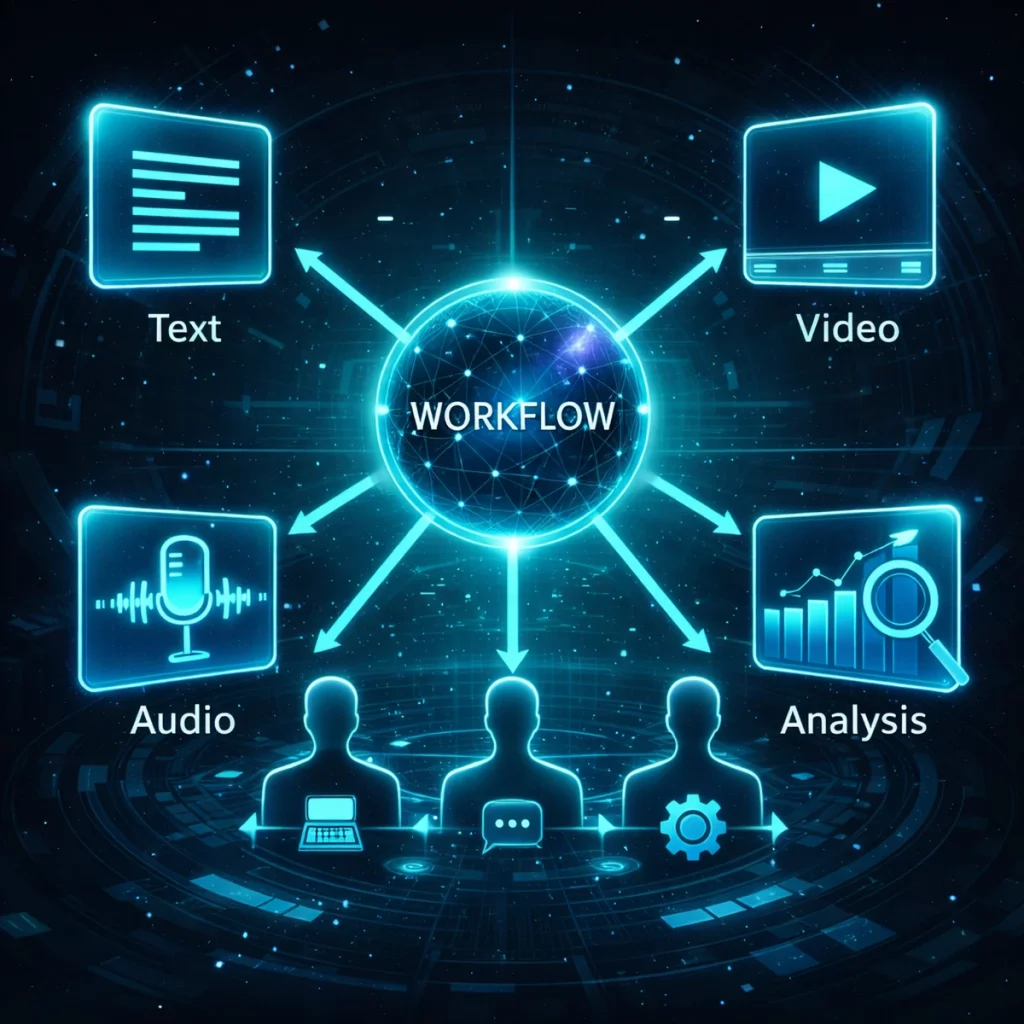
Quick Comparison — Best Multimodal AI Tools (2026)
This comparison highlights a small, curated selection of multimodal AI tools that are usable today — not just impressive in demos.
All tools are evaluated based on workflow impact, ease of adoption, and reliability in real-world use.
Why This List Is Intentionally Short
Multimodal AI is still maturing.
In 2026, only a small number of tools combine multiple modalities without introducing friction into real workflows.
Rather than listing everything that looks impressive in demos, we prioritize tools that hold up in daily use.
Our selection criteria focus on:
- Production-ready workflows — usable today, not “almost ready”
- Consistent output quality across real scenarios
- Clean integration into existing work habits and tool stacks
Tools that are experimental, demo-driven, or add complexity without leverage are intentionally excluded.
If you’re looking for a broader perspective — including emerging models, platform categories, and where the ecosystem is heading — see our in-depth guide on Multimodal AI Tools in 2026.
Our Top Picks — Editor’s Selection
Below are the multimodal AI tools that stand out in real workflows, not just in feature lists.
Each tool is evaluated on where it removes friction, where it fits best, and where its limitations matter — so you can make an informed decision.
ElevenLabs — The Multimodal Output Layer
Best for:
Creators, educators, and teams producing audio- or video-first content at scale.
Why it stands out:
ElevenLabs excels at one critical stage of multimodal workflows: turning text into high-quality voice output.
In workflows where audio slows everything down — narration, explainers, courses, demos, multilingual content — ElevenLabs removes that bottleneck entirely.
Rather than acting as a general reasoning engine, ElevenLabs focuses on expressive, reliable output. Once text exists, voice is no longer a constraint. That clarity of purpose is what makes it production-ready.
Key multimodal use cases:
- Voiceovers for videos, tutorials, and product demos
- Narration for courses, long-form content, and explainers
- Podcast intros, ads, and branded audio
- Multilingual voice generation without re-recording
- Fast iteration on audio-based formats
Where it fits best in a workflow:
ElevenLabs works best as the output layer in a multimodal stack — after ideation, scripting, or planning has already happened elsewhere.
Limitations to consider:
- Not a general reasoning or planning tool
- Creative nuance may require tuning for specific voices or styles
Editorial verdict:
If audio or video is part of your workflow, ElevenLabs dramatically reduces production time and cost. It doesn’t try to do everything — and that focus is exactly why it performs so well.
Synthesia — The Multimodal Video Communication Layer
Best for:
Training, onboarding, internal communication, and structured educational content.
Why it stands out:
Synthesia solves a very specific multimodal problem: how to communicate information clearly through video without the overhead of production.
In many organizations, video is the most effective format — but also the slowest to produce. Synthesia removes that friction by turning text into consistent, repeatable video presentations with voice, visuals, and structure handled in one pipeline.
Rather than focusing on creative storytelling, Synthesia is optimized for clarity, consistency, and scale. That makes it particularly effective for teams that need to deliver the same message repeatedly across regions, languages, or departments.
Key multimodal use cases:
- Employee onboarding and internal training
- Product walkthroughs and feature updates
- Compliance, safety, and instructional videos
- Educational explainers with consistent delivery
- Multilingual video communication at scale
Where it fits best in a workflow:
Synthesia functions as the video communication layer in a multimodal stack — ideal when information needs to be delivered clearly, not creatively.
Limitations to consider:
- Less flexible for creative or cinematic storytelling
- Works best with structured scripts rather than exploratory content
Editorial verdict:
If your workflow depends on clear, repeatable video communication, Synthesia replaces cameras, studios, and presenters with a reliable, scalable system.
OpenAI ChatGPT (Multimodal) — The Reasoning & Ideation Layer
Best for:
Knowledge work, planning, analysis, research, and decision support.
Why it stands out:
ChatGPT is the most versatile multimodal reasoning tool available today. It combines text, images, and documents into a single interface designed to help professionals think, structure, and decide faster.
Where many multimodal tools focus on output (audio or video), ChatGPT focuses on understanding context. It can interpret documents, screenshots, charts, and written input simultaneously — making it especially effective in workflows that start with ambiguity and require clarity.
Instead of replacing tools, ChatGPT acts as a thinking accelerator that sits upstream of execution and production.
Key multimodal use cases:
- Interpreting documents, reports, and research papers
- Analyzing screenshots, charts, and visual inputs
- Structuring plans, strategies, and outlines
- Summarizing complex information across sources
- Supporting scenario analysis and decision-making
Where it fits best in a workflow:
ChatGPT functions as the reasoning and ideation layer in a multimodal stack — before content is produced, automated, or communicated.
Limitations to consider:
- No native audio or video output
- Output quality depends on prompt clarity and context provided
Editorial verdict:
ChatGPT is not a production tool — it’s a cognition tool. If your work involves thinking, planning, or analysis before execution, it remains the strongest multimodal foundation.
Google Gemini — The Enterprise Research & Analysis Layer
Best for:
Research-heavy workflows, enterprise analysis, and long-context reasoning.
Why it stands out:
Google Gemini is designed for deep multimodal understanding at scale. It excels at combining text, images, audio, video, and structured data into coherent analysis — especially in environments where context spans many documents, datasets, or visual inputs.
Where ChatGPT shines in flexible ideation, Gemini’s strength is structured reasoning and enterprise-grade analysis. It performs particularly well when workflows involve reports, charts, dashboards, and complex information streams that need to be interpreted together.
Key multimodal use cases:
- Analyzing reports, charts, and large document sets
- Interpreting visual data alongside written context
- Research synthesis across long inputs
- Enterprise workflows that require consistency and scale
- Data-informed decision support
Where it fits best in a workflow:
Gemini functions as the research and analysis layer in a multimodal stack — strongest when accuracy, structure, and context depth matter more than creative output.
Limitations to consider:
- Less intuitive for quick, ad-hoc tasks
- Higher adoption friction compared to consumer-first tools
- Best value emerges in structured, repeatable workflows
Editorial verdict:
If your work depends on deep analysis across documents, visuals, and data, Gemini is one of the most capable multimodal reasoning systems available today — particularly in enterprise contexts.
No single multimodal AI tool does everything well.
The right choice depends on where multimodality enters your workflow.
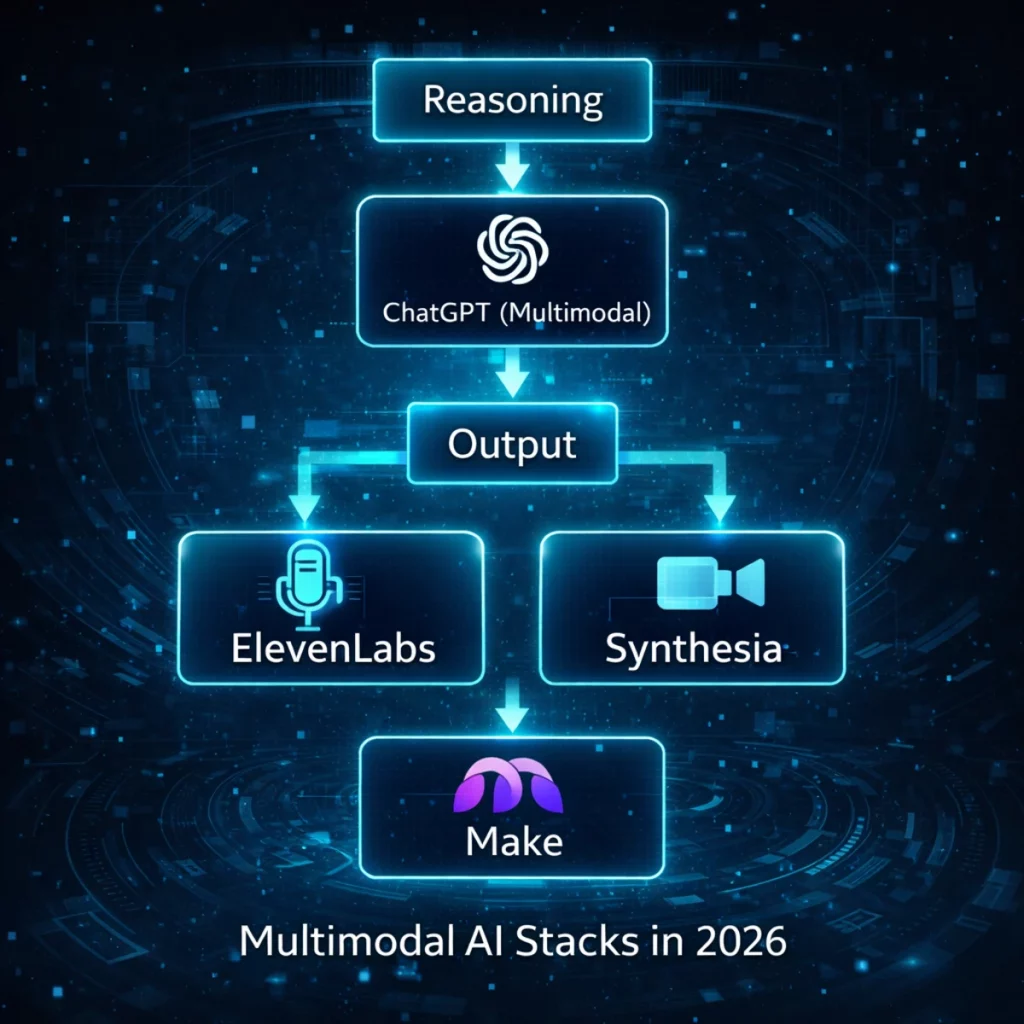
Where Automation Fits Into Multimodal Workflows
Multimodal AI tools rarely operate in isolation.
In real-world workflows, systems like ChatGPT, ElevenLabs, and Synthesia often need to pass data, trigger follow-up actions, or coordinate outputs across multiple tools and platforms.
This is where automation platforms like Make become essential.
Make doesn’t introduce new AI capabilities.
Instead, it connects existing multimodal tools into repeatable, production-ready workflows — handling orchestration, timing, and hand-offs behind the scenes.
For teams and creators working with multimodal AI in practice, this automation layer often determines the outcome:
- without automation, multimodal tools remain isolated and manual
- with automation, they become part of a coherent system that actually saves time
In other words, multimodal AI creates potential —
automation determines whether that potential translates into real leverage.
Explore how multimodal tools are connected in practice
Common Mistakes When Choosing Multimodal AI
Even the strongest tools fail when they’re chosen for the wrong reasons.
The most common mistakes we see:
- Choosing features over workflow fit
More capabilities don’t equal better outcomes if they don’t align with how work actually happens. - Expecting one tool to replace an entire stack
Multimodal AI compounds value when tools specialize — not when one platform is forced to do everything. - Ignoring setup and adoption friction
A powerful tool that’s hard to integrate often reduces productivity instead of increasing it. - Using experimental tools in production workflows
Demos impress. Reliable execution over time matters more.
Final Thoughts: Choosing the Right Multimodal AI Tool in 2026
Multimodal AI is no longer defined by impressive demonstrations.
It’s defined by how effectively it reduces friction inside real workflows.
The tools featured on this page are not selected for novelty or visibility.
They are selected because they consistently perform under daily use, across different contexts and constraints.
The most effective approach is simple:
Start with the tool that fits your workflow today.
Measure its impact.
Expand only when complexity decreases — not when it increases.
All tools listed here are evaluated using our independent review framework.
Rankings and recommendations are never influenced by sponsorships.
FAQ
What is a multimodal AI tool?
A multimodal AI tool can understand and work with multiple input types — such as text, images, audio, and video — within a single workflow.