
Introduction
When you tell AI what to do, you get information. When you tell it who to be, you get expertise.
That’s the essence of role assignment — the simple yet powerful technique behind every great prompt.
Since 2024, as generative AI tools like ChatGPT, Gemini, and Claude became mainstream, a new challenge emerged: context confusion. AI could generate endless text, but without a defined role, it often sounded generic, inconsistent, or off-tone.
“Act as…” prompts solved that problem. By assigning AI a persona — a marketer, lawyer, teacher, or analyst — you instantly give it focus, tone, and professional reasoning. Instead of guessing what you mean, the model starts thinking like an expert in your world.
In practice, role-based prompts are one of the fastest ways teams move from generic AI output to consistent, expert-level reasoning.
Before diving in, explore the foundation of prompt communication in AI Prompt Writing: The Ultimate Guide to Working Smarter (2026) — the cornerstone of the entire series.
What Is Role Assignment?
Role assignment means giving the AI a defined identity that shapes how it interprets and responds to your instructions.
Example
- ❌ “Write a market report.”
- ✅ “Act as a senior market researcher specialized in B2B SaaS. Write a summary for executives.”
That one extra phrase reshapes tone, depth, and reasoning. Behind the scenes, large language models simulate patterns: a “senior researcher” produces analytical, structured, serious writing — because those are the patterns associated with that role.
For a practical, example-heavy guide to shaping prompts, see How to Write Better ChatGPT Prompts (with Examples).
Why It Works: Psychology Meets Machine Learning
Role prompts aren’t magic; they’re cognitive engineering.
Schema Activation
Assigning “lawyer”, “designer”, or “strategist” activates domain-specific clusters of patterns — tone, vocabulary, structure, and problem-solving style.
Framing Effect
By defining who AI is, you determine what it pays attention to — risks, creativity, clarity, metrics, emotion, structure, or logic.
Domain Conditioning
AI retrieves field-specific reasoning shortcuts.
“Teacher” → analogies, clarity, step-by-step
“Engineer” → constraints, optimization, precision
“Strategist” → goals, trade-offs, decision-makers
In short: you don’t just give instructions — you define a mental model the AI mirrors back.
To see how frameworks support this, explore AI Prompt Frameworks Explained: The 4C Model & Beyond.
The Core Formula for Role-Based Prompts
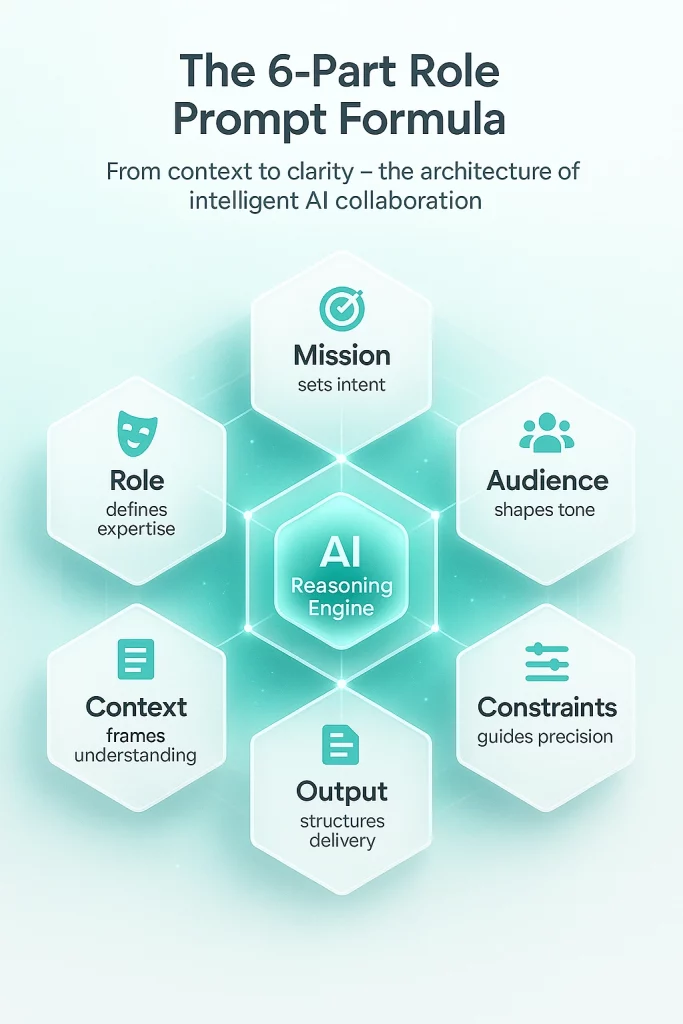
Every strong role prompt can be built with this six-part formula:
Role + Mission + Audience + Context + Output + Constraints
Example
Act as a growth strategist (role) for a SaaS startup (context). Design (mission) a 90-day plan (output) focused on retention and upselling (goal) with weekly milestones (constraints).
Other variants:
- “Act as a creative director. Design a visual campaign that blends human emotion with AI aesthetics.”
- “Act as a data scientist. Summarize key insights from this dataset and propose two business implications.”
💡 Pro tip: Add seniority or specialization (“senior”, “award-winning”, “specialized in…”) to narrow expertise and raise authority.
For deeper structure, see Chain-of-Thought Prompting: Make AI Think Step-by-Step.
The Role Library – Build Your AI Expert Team
Business Roles
- Management consultant: Diagnose → identify causes → propose options → recommend strategy.
- Investor: Evaluate TAM/SAM/SOM, risk, KPIs, and funding path.
- Operations analyst: Map inefficiencies → quantify impact → propose lean improvements.
Marketing & SEO
- SEO strategist: Identify keyword intent, on-page fixes, and internal links.
- Copy chief: Generate five headline options using “why” or “because” logic and CTAs.
- Brand storyteller: Write messaging aligned with emotion, values, and narrative arc.
Technology
- Senior Python developer: Optimize code, handle edge cases, and create unit tests.
- Solutions architect: Outline trade-offs, diagram system flow, estimate costs.
- Prompt engineer: Rewrite and test prompt variations for consistency.
Education & Healthcare
- History teacher: Use analogies and mini-quizzes to explain cause and effect.
- Clinical psychologist: Describe evidence-based coping techniques and referral criteria.
AI Research & Ethics
- AI ethicist: Evaluate fairness, bias, and transparency.
- Policy advisor: Summarize implications of new AI regulations for startups.
- AI researcher: Compare model architectures with reasoning depth metrics.
Communication & Leadership
- Public speaking coach: Transform raw notes into persuasive talk outlines.
- HR manager: Craft inclusive hiring messages or feedback frameworks.
- Team psychologist: Provide communication guidelines for remote collaboration.
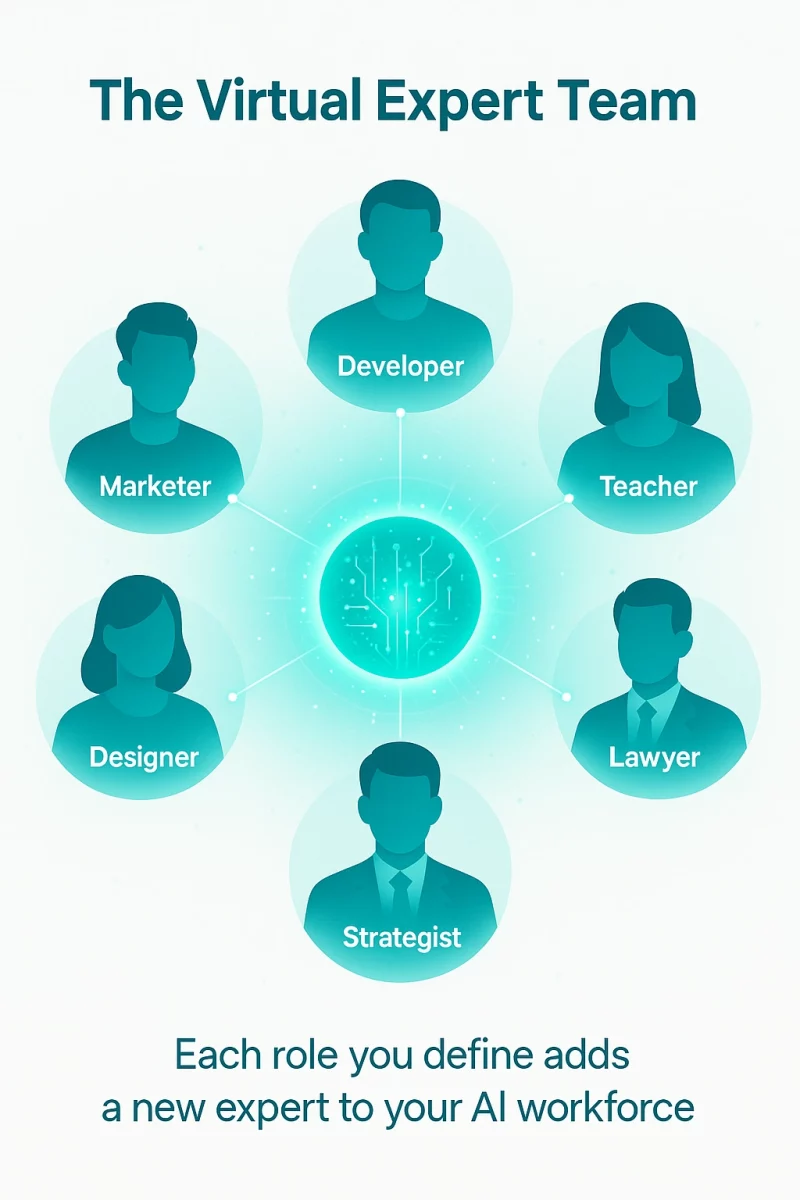
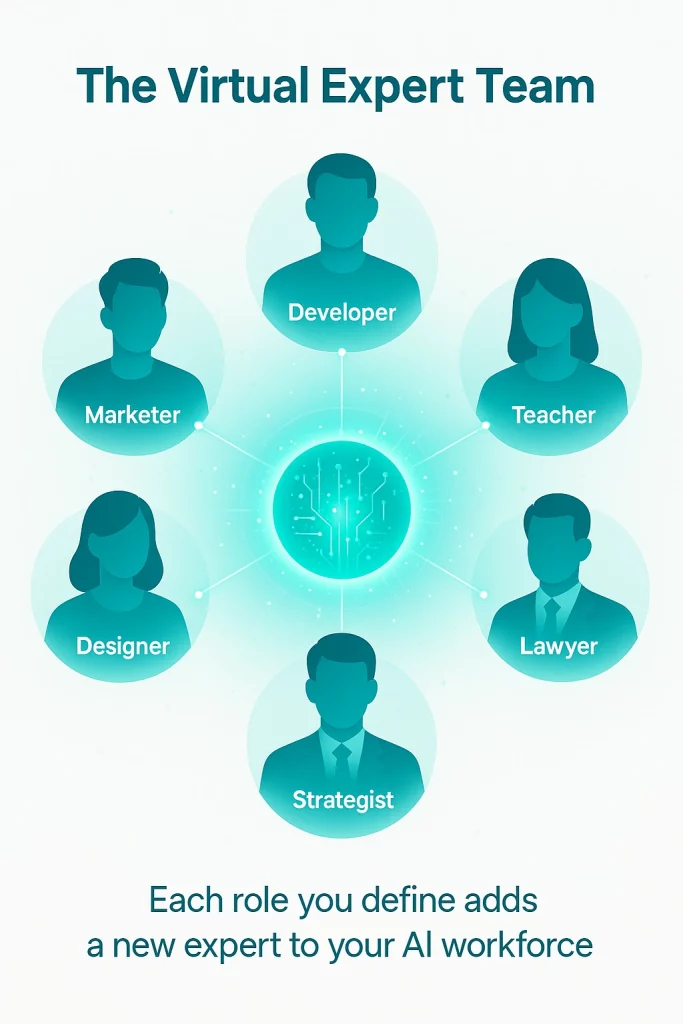
👉 Treat this library as your virtual workforce. Assign roles to get specialized reasoning — just like hiring experts for different tasks.
Explore collaborative prompting in Prompt Templates for Marketers and Creators.
Before & After: The Impact of Role Prompts
The difference isn’t stylistic — it’s cognitive. Role prompts change how models reason
| Scenario | Without Role | With Role |
|---|---|---|
| Content Writing | “Write a blog about AI productivity.” | “Act as a tech journalist writing for professionals. Create a 1,200-word article comparing five tools, including pricing and key use cases.” |
| Strategy | “Help my agency grow.” | “Act as an agency strategist. Build a 90-day growth plan with retention KPIs, upsell scripts, and weekly reviews.” |
| Education | “Explain blockchain.” | “Act as a FinTech lecturer. Explain blockchain to MBA students in 300 words using real-world analogies.” |
| Design | “Describe this app interface.” | “Act as a UX designer. Evaluate layout, accessibility, and trust cues, and suggest two quick improvements.” |
The difference isn’t just tone — it’s reasoning. The model starts thinking in context, not in isolation.
Advanced: Hybrid Roles & Role Switching
Complex tasks often benefit from multi-role thinking — blending perspectives just like multidisciplinary teams do.
Hybrid example:
“Act as a behavioral scientist and UX designer. Review this onboarding flow for trust signals and friction points.”
Expected output: empathetic, evidence-based design suggestions.
Role switching:
Prompt the AI to cycle through roles:
1️⃣ Critic – identify flaws.
2️⃣ Editor – fix and refine.
3️⃣ Fact-checker – verify claims or data.
Deepened roles:
Add attributes like “senior”, “data-driven”, or “creative” to fine-tune personality.
“Act as a senior data-driven marketing strategist specialized in B2B SaaS.”
Hybrid and dynamic roles give you layered reasoning — analysis, creativity, and accuracy in one loop.
When Not to Use Role Prompts
Role assignment isn’t always necessary.
Avoid it when your task is factual, mechanical, or constrained by data precision.
- ❌ Simple translations, math problems, or list sorting
- ❌ Prompts where legal, medical, or scientific accuracy must rely on verified databases
- ❌ Over-engineering — stacking five roles (“lawyer + designer + coach + engineer”) confuses output
Guideline: use roles for reasoning, not recall.
When you need analytical thinking, context, or human-like judgment — role prompts shine.
When you need raw facts or formulas, skip them.
Testing and Measuring Role Effectiveness
To treat prompting as a professional craft, you must measure it.
Step-by-step workflow:
1️⃣ Baseline: run the prompt without a role.
2️⃣ Variation: add a role, keep all else identical.
3️⃣ Rate output on a 1–5 scale for relevance, specificity, jargon accuracy, creativity, and usefulness.
4️⃣ A/B test roles — “junior vs. senior”, “analyst vs. strategist”, “teacher vs. mentor”.
5️⃣ Document results in a spreadsheet or Notion database to build your prompt vault.
Prompt macro for self-evaluation:
Evaluate your own answer on:
relevance, depth, domain accuracy, readability, and creativity (1–5 each).
Suggest two improvements for the next iteration.
Pro tip:
Use tools like PromptLayer, LangSmith, or Vellum.ai to log, version, and compare prompts.
Systematic testing turns prompt writing from intuition into applied science.
For broader tools, visit Top AI Prompt Tools to Boost Productivity in 2026.
Quick Role Templates
SEO Audit (Checklist)
Act as an SEO analyst. Audit this article for {keyword}.
Audience: {target group}. Deliver: checklist with H2/H3 suggestions,
5 internal link ideas, title/meta improvements, and an optimized slug.
UX Review (Priority Matrix)
Act as a senior UX designer. Review this interface.
Deliver: top-5 issues in a table (impact, effort, evidence),
plus 3 A/B test ideas.
Sales Pitch (Story + Proof)
Act as a B2B sales coach. Write a 7-sentence pitch with
problem → solution → proof → CTA, tailored to {industry}.
Legal (Contract FAQ)
Act as a startup lawyer. Create an FAQ with 8 short Q&As about
SAFE and convertible notes. Audience: first-time founders.
Max 80 words each.
Education (Lesson Card)
Act as a chemistry teacher. Explain redox reactions for high-school students
in 250 words using one analogy and three quiz questions with answers.
Developer (Refactor + Tests)
Act as a senior Python developer. Refactor this function for performance,
add type hints, and write 5 pytest cases covering edge cases.
Common Mistakes & Fixes
- Too vague (“expert”) → Add profession and niche.
- Conflicting roles → Split task per phase.
- No format defined → Specify structure (table, summary, list).
- Missing audience → Always state who the output is for.
- Too rigid or overloaded → Give freedom; iterate across versions.
Think of prompting as dialogue, not dictation. The best outputs come from refinement, not perfection on the first try.
The Bigger Picture
“Act as…” isn’t just a phrasing trick — it’s a collaboration framework.
By defining a role, you set boundaries and expectations, just like you would with a colleague.
Over time, you’ll find that role prompting doesn’t just improve AI’s performance — it improves your own clarity of thought.
When you can describe who should think, how they should think, and why — you’ve already mastered half of prompt engineering.
Explore broader AI reasoning shifts and agentic systems in The Future of AI Workflows: From Prompts to Autonomous Systems.
Conclusion
Role-based prompting transforms AI from a reactive tool into a reasoning partner. By defining who should think before specifying what should be done, you create clearer intent, sharper output, and more consistent reasoning across tasks.
Used deliberately, roles allow you to simulate expertise, measure results, and iterate with purpose. Each persona you define becomes part of a personal AI workforce — a growing library of specialists you can deploy on demand.
In the age of generative intelligence, progress doesn’t come from asking more questions.
It comes from asking as the right person.
For a complete overview of all role-based techniques, frameworks, templates, and real-world applications, visit the AI Prompts Hub.
For leaders and teams applying role-based prompting to real decisions, operations, and planning, the next step is translating prompt structure into business context. That practical layer is explored in AI Prompts for Business & Strategy, where role prompts are applied to strategy, execution, and decision-making workflows.
Related Reading from the Prompt Cluster
If you want to explore related techniques and use cases, the following guides expand on the core ideas introduced here:
- AI Prompt Writing Guide 2026 — The complete foundation for modern prompting and structured AI collaboration.
- How to Write Better ChatGPT Prompts (with Examples) — Practical, copy-and-paste prompts that show how small wording changes transform output quality.
- AI Prompt Frameworks Explained: The 4C Model and Beyond — Structured models that make your prompts more consistent, scalable, and teachable.
- Act as a… Prompts: How Roles Transform AI Output — How role assignment upgrades AI from generic assistant to specialist expert.
- Prompt Templates for Marketers and Creators — Ready-to-use prompt blueprints for SEO, campaigns, social content, and storytelling.
- AI Prompt Mistakes: What Most Users Get Wrong (and How to Fix It) — A field guide to diagnosing vague, inconsistent prompts and turning them into high-signal instructions.
- Top AI Prompt Tools to Boost Productivity in 2026 — The tools, optimizers, and testing platforms that help you refine and scale your prompts.
- Best Prompt Libraries & Communities for AI Creators — Curated places to learn from other creators, share your best prompts, and stay ahead of new patterns.
- Multimodal AI Tools 2026: The Next Evolution of Human-Machine Collaboration — How prompting expands beyond text into images, audio, video, and real-time interaction.
- The Future of AI Workflows: From Prompts to Autonomous Systems — A strategic look at how prompts evolve into agents, workflows, and fully autonomous systems
FAQ – Role Prompts Explained
What is a role prompt?
A role prompt assigns an identity to AI (“Act as a lawyer”, “You are a data analyst”) that frames tone, reasoning, and structure — leading to more professional output.
Do role prompts work in all AI models?
Yes, though impact varies. Models like GPT-5, Gemini Ultra, and Claude Next respond strongly to role conditioning; smaller models may need extra context.
How do I know if my role prompt is effective?
Compare with a baseline, measure output quality (clarity, tone, logic), and use scoring or A/B testing tools such as PromptLayer or LangSmith.
Can I combine multiple roles?
Yes — for complex reasoning, blend roles (“Act as a data analyst and storyteller”). Just keep them complementary, not conflicting.
Are there times when I shouldn’t use roles?
Avoid roles for factual tasks or data lookups. Use them when you need reasoning, synthesis, or audience-specific tone.