The best multimodal AI tools in 2026 are no longer just impressive demos — they are practical workflow systems that combine text, images, audio, video, documents, and reasoning into everyday work.
Multimodal AI has moved from novelty to utility. Modern AI tools can now analyze screenshots, interpret documents, generate voiceovers, create videos, understand images, summarize PDFs, support research, and help teams move from idea to output faster.
But that creates a new problem: which multimodal AI tools are actually worth using?
Many platforms look powerful in demos but add friction in real workflows. Others are technically advanced but too narrow, too expensive, or too complex for daily use.
This guide is a curated editorial selection of the best multimodal AI tools in 2026 — chosen for workflow fit, practical value, reliability, and time to value.
If you want the fastest answer, start with the quick recommendation section below. If you want deeper context, continue to the tool breakdowns and workflow examples.
Best Multimodal AI Tools in 2026: Quick List
Here are the strongest multimodal AI tools to consider in 2026:
- ChatGPT — best for multimodal reasoning, planning, document analysis, and knowledge work
- Google Gemini — best for long-context research, enterprise workflows, and multimodal analysis
- Claude — best for document-heavy thinking, visual reasoning, coding, and agentic workflows
- ElevenLabs — best for AI voice, narration, dubbing, and audio production
- Synthesia — best for AI video training, onboarding, and internal communication
- Runway — best for AI video generation, creative production, and visual storytelling
- Descript — best for podcast, video, transcript, and editing workflows
- HeyGen — best for avatar video, sales videos, and multilingual video communication
- NotebookLM — best for research, source-grounded summaries, and learning workflows
- Perplexity — best for AI search, web research, and answer discovery
- Make — best for connecting multimodal tools into automated workflows
Quick verdict: ChatGPT and Gemini are the strongest general-purpose multimodal AI assistants. ElevenLabs and Synthesia are stronger for output production. Runway, Descript, and HeyGen are best for creative media workflows. Make becomes essential when you want these tools to work together as a system.
Quick Recommendation: Which Multimodal AI Tool Should You Choose?
Choose based on where multimodality enters your workflow.
- Use ChatGPT if your work starts with ideas, documents, screenshots, planning, writing, analysis, or decision-making.
- Use Google Gemini if you work with long context, research, Google ecosystem workflows, video input, documents, and structured analysis.
- Use Claude if you need strong writing, coding, document analysis, visual reasoning, and careful long-form thinking.
- Use ElevenLabs if your bottleneck is voice, narration, audio, dubbing, or multilingual speech output.
- Use Synthesia if you need repeatable training videos, onboarding content, internal updates, or professional avatar-based video.
- Use Runway if your workflow depends on AI-generated video, cinematic visuals, motion, or creative production.
- Use Descript if you edit podcasts, interviews, videos, transcripts, and social clips.
- Use HeyGen if you want fast avatar videos, translated video messages, or scalable sales and marketing video content.
- Use NotebookLM if your priority is source-grounded research, studying, summarizing, and knowledge organization.
- Use Perplexity if you need AI-powered search, fast source discovery, and research across the web.
- Use Make if you want to connect multiple AI tools into automated workflows.
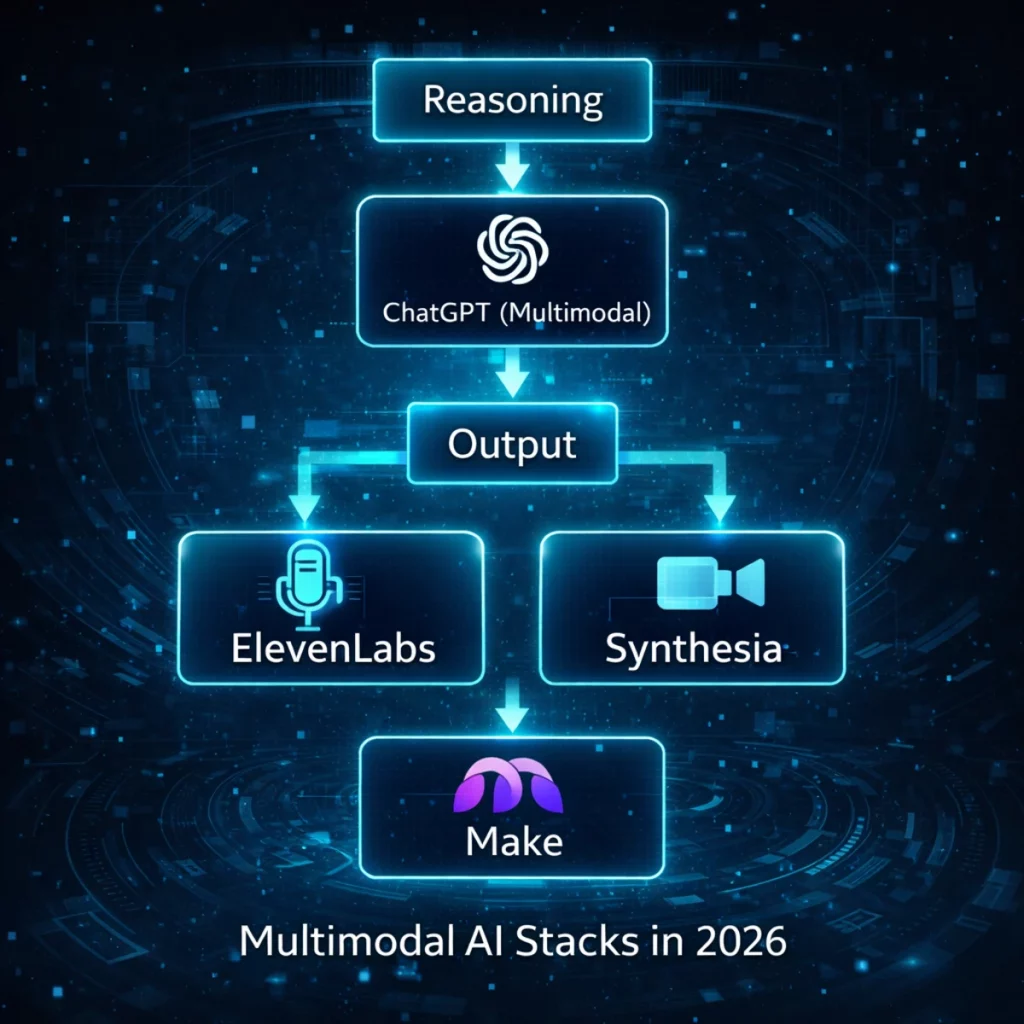
The strongest setup for most professionals is not one universal tool. It is a small workflow stack: one reasoning tool, one output tool, and one automation layer.
What Is a Multimodal AI Tool?
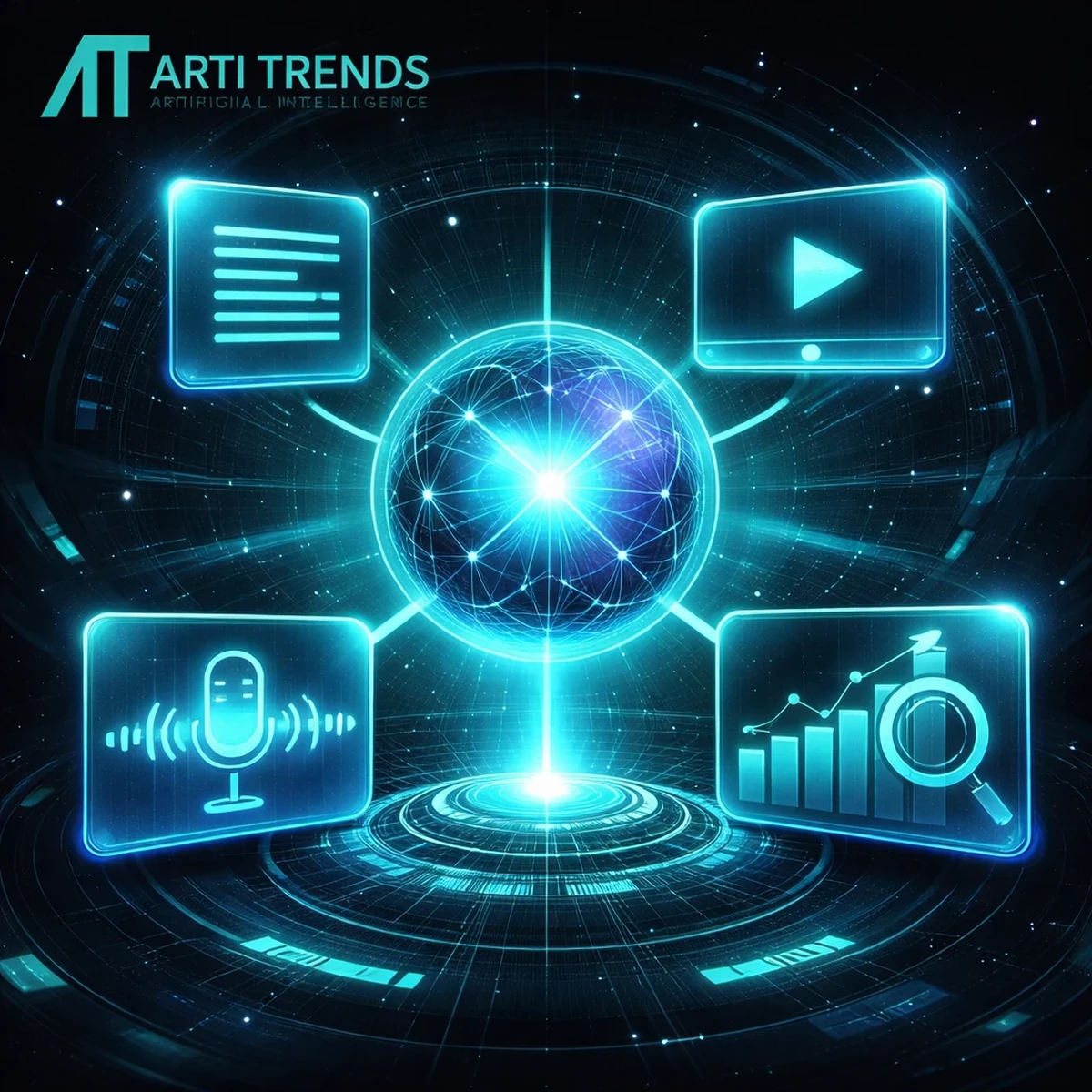
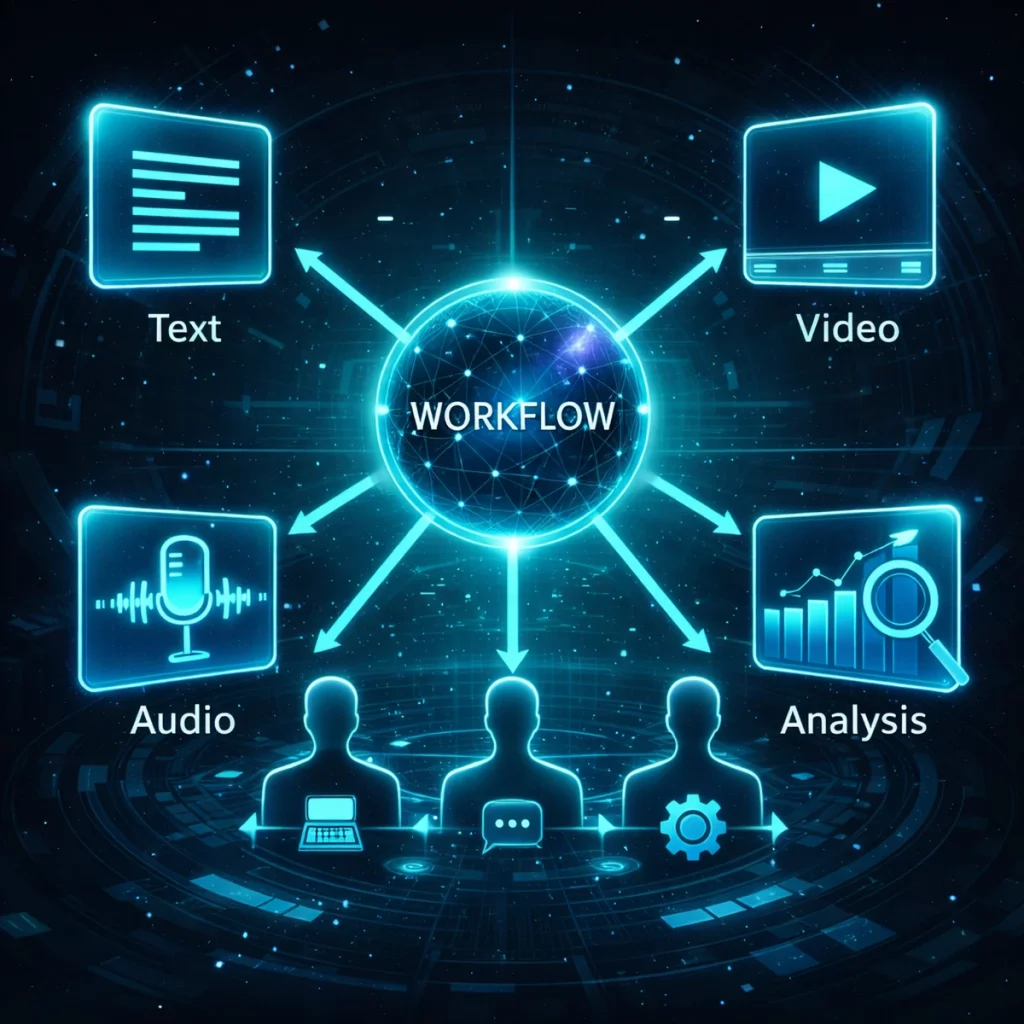
A multimodal AI tool is an AI system that can understand, process, or generate more than one type of input or output, such as text, images, audio, video, documents, code, or screen context.
Traditional AI tools mostly worked with text. Multimodal AI tools go further. They can combine different formats in one workflow.
For example, a multimodal AI tool may be able to:
- read a PDF and summarize the key points
- analyze a screenshot and explain what is happening
- turn a script into a voiceover
- generate a video from text or images
- combine charts, documents, and written instructions into one analysis
- help create social posts from images, notes, or transcripts
- convert a training script into a video lesson
The real value of multimodal AI is not that it supports many formats. The real value is that it reduces the number of steps between input, thinking, and output.
For a broader explanation of the category, see our full guide to multimodal AI tools.
Who This Guide Is For
This guide is designed for professionals, creators, founders, marketers, educators, analysts, and teams who want to use multimodal AI in real workflows — not just experiment with interesting demos.
This guide is for you if:
- You want to choose practical AI tools for daily work
- You work with content, communication, research, education, productivity, or automation
- You prefer fewer, better tools instead of endless feature lists
- You care about workflow impact, reliability, and ease of adoption
- You want to understand which tools fit together in a practical AI stack
This guide is not for you if:
- You want a complete database of every experimental multimodal AI model
- You are looking only for academic research projects
- You prefer technical benchmark analysis over practical workflow advice
- You want rankings based purely on hype, popularity, or social media attention
This page focuses on one practical question:
Which multimodal AI tools are worth adopting today — and where do they fit in a real workflow?
How We Evaluate Multimodal AI Tools
In 2026, “best” does not simply mean the most advanced model or the longest feature list.
A tool earns a place in this guide only if it delivers practical value inside real workflows.
Our evaluation focuses on six criteria:
Workflow Impact
Does the tool reduce time, steps, friction, or cognitive load in everyday work?
Time to Value
Can users get useful results quickly without complex setup, training, or onboarding?
Integration Fit
Does the tool work naturally with existing formats, platforms, habits, and team workflows?
Output Consistency
Does it perform reliably across real use cases, not just polished demos?
Learning Curve
Can individuals and teams adopt the tool without needing deep technical expertise?
Long-Term Viability
Is the product improving in a sustainable way, with active development, strong support, and a clear role in the market?
All tools featured here are evaluated using the same independent framework. Rankings are not influenced by sponsorships or partnerships. For full transparency, see How We Review AI Tools.
Best Multimodal AI Tools Compared
The table below compares the top multimodal AI tools by workflow role, supported formats, ease of use, and best use case.
| Tool | Best For | Supported Modalities | Workflow Stage | Ease of Use | Pricing Model |
|---|---|---|---|---|---|
| ChatGPT | Reasoning, planning, analysis | Text, images, files, documents, voice, vision | Thinking & decision support | High | Freemium / Paid |
| Google Gemini | Research, long context, enterprise analysis | Text, images, audio, video, PDFs, data | Research & analysis | Medium | Freemium / Paid |
| Claude | Documents, coding, visual reasoning | Text, documents, images, screenshots, code | Structured thinking | High | Freemium / Paid |
| ElevenLabs | Voice, narration, dubbing | Text, voice, audio, multilingual speech | Audio output | High | Freemium / Paid |
| Synthesia | Training videos, onboarding | Text, voice, video, avatars | Video communication | Medium | Subscription |
| Runway | AI video generation | Text, images, video, motion | Creative production | Medium | Freemium / Paid |
| Descript | Podcast and video editing | Audio, video, transcript, text | Editing & repurposing | High | Freemium / Paid |
| HeyGen | Avatar videos and localization | Text, voice, video, avatars | Marketing & communication | High | Freemium / Paid |
| NotebookLM | Source-grounded research | Documents, notes, sources, audio summaries | Research & learning | High | Free / Paid ecosystem |
| Perplexity | AI search and web research | Text, web sources, files, images | Discovery & research | High | Freemium / Paid |
| Make | Workflow automation | APIs, apps, AI tools, files, triggers | Automation layer | Medium | Freemium / Paid |
No single tool is best for everything. The strongest choice depends on whether you need reasoning, research, audio, video, editing, search, or automation.
Best Multimodal AI Tools: Editor’s Selection
Below are the multimodal AI tools that stand out in real workflows, not just in feature lists. Each breakdown explains where the tool fits, what it does well, and where its limitations matter.
ChatGPT — Best for Multimodal Reasoning and Knowledge Work
Best for: professionals, founders, analysts, writers, researchers, marketers, students, and teams that need help thinking through complex information.
Why it stands out: ChatGPT is one of the strongest general-purpose multimodal AI tools because it sits at the beginning of the workflow. It helps users understand, structure, plan, write, analyze, and decide before production begins.
Its strength is not simply that it can work with text, images, documents, and voice. Its real advantage is that it can combine those inputs into useful reasoning. You can upload a document, add a screenshot, ask for a summary, request a plan, compare options, or turn rough notes into a structured output.
ChatGPT is especially useful when the problem is unclear. It helps turn messy inputs into organized next steps.
Key multimodal use cases:
- Analyzing documents, screenshots, charts, and reports
- Turning research notes into outlines, briefs, or articles
- Creating plans, strategies, workflows, and decision frameworks
- Reviewing images, interfaces, dashboards, or visual content
- Supporting brainstorming, writing, coding, and structured thinking
Where it fits best: ChatGPT works best as the reasoning and ideation layer in a multimodal stack. Use it before creating audio, video, visuals, automation, or final content.
Limitations to consider: Output quality depends heavily on the clarity of the prompt, the context provided, and the user’s ability to review the result. For production video or professional audio, dedicated tools are still better.
Editorial verdict: ChatGPT is the best starting point for most multimodal workflows. It is not just a content generator — it is a thinking accelerator.
Google Gemini — Best for Research and Enterprise Analysis
Best for: research-heavy workflows, enterprise users, analysts, students, teams using Google Workspace, and users working with long documents or mixed media inputs.
Why it stands out: Gemini is built around deep multimodal understanding. It is particularly strong when work involves long context, documents, video, visuals, and structured analysis.
For users inside the Google ecosystem, Gemini can be especially useful because it fits naturally into research, productivity, and enterprise workflows. It is well suited for analyzing information across multiple formats, including documents, images, video, and data.
Where ChatGPT is often the more flexible ideation tool, Gemini is especially compelling for structured research and context-heavy analysis.
Key multimodal use cases:
- Research synthesis across long documents and sources
- Analyzing reports, charts, dashboards, visuals, and data
- Understanding video or visual material in context
- Enterprise workflows that require structured reasoning
- Productivity workflows inside the Google ecosystem
Where it fits best: Gemini works best as a research and analysis layer, especially when context depth matters more than quick output.
Limitations to consider: Gemini may feel less intuitive than consumer-first tools for quick ad-hoc tasks. Its strongest value appears when it is used in structured, repeatable workflows.
Editorial verdict: Gemini is one of the strongest multimodal AI tools for research-heavy and enterprise contexts. If your work involves long inputs, mixed media, and structured analysis, it belongs on your shortlist.
Claude — Best for Documents, Visual Reasoning, and Coding
Best for: writers, developers, analysts, product teams, researchers, and professionals who work with long documents, screenshots, code, and structured reasoning tasks.
Why it stands out: Claude has become one of the strongest tools for careful document analysis, writing, coding, and visual reasoning. It is particularly useful when accuracy, structure, and tone matter.
Claude is not always positioned as a flashy multimodal media tool. Its strength is more practical: it helps users process dense information, analyze visual material, reason through complex tasks, and produce high-quality written output.
For teams working with documentation, product specs, codebases, research files, and screenshots, Claude can function as a serious thinking partner.
Key multimodal use cases:
- Analyzing long documents and complex written material
- Reviewing screenshots, interfaces, and visual references
- Helping with coding, debugging, and technical reasoning
- Creating structured drafts, summaries, and reports
- Supporting agentic workflows and computer-use scenarios
Where it fits best: Claude works best as a document intelligence and reasoning layer. It is especially useful when the output needs to be thoughtful, organized, and carefully written.
Limitations to consider: Claude is less focused on direct video or audio production. For media generation, it works better upstream as a planning and scripting tool.
Editorial verdict: Claude is one of the best multimodal AI tools for serious knowledge work. If your workflow involves documents, visuals, code, or complex writing, it is a strong alternative to ChatGPT and Gemini.
ElevenLabs — Best for AI Voice and Audio Output
Best for: creators, educators, publishers, course builders, podcasters, video teams, and businesses producing audio or multilingual content.
Why it stands out: ElevenLabs solves one of the most important output problems in multimodal workflows: turning text into natural, expressive voice.
In many content workflows, voice production is a bottleneck. Recording, editing, re-recording, localizing, and producing consistent narration takes time. ElevenLabs removes much of that friction by making high-quality AI voice generation fast and repeatable.
It does not try to be a general reasoning system. That focus is part of its strength. Once the script exists, ElevenLabs helps turn it into audio quickly.
Key multimodal use cases:
- Voiceovers for YouTube videos, tutorials, and product demos
- Narration for courses, explainers, and educational content
- Podcast intros, ads, and branded audio
- Multilingual voice generation and dubbing
- Fast iteration on scripts and spoken content
Where it fits best: ElevenLabs works best as the audio output layer after scripting, planning, or research has already been completed in another tool.
Limitations to consider: It is not designed for broad reasoning, research, or planning. Creative nuance may require voice tuning, testing, and editing.
Editorial verdict: If audio or voice is part of your workflow, ElevenLabs is one of the most practical multimodal AI tools available. It reduces production time without trying to replace the entire creative process.
Synthesia — Best for AI Video Training and Onboarding
Best for: training teams, HR departments, educators, enterprise communication teams, SaaS companies, and organizations creating repeatable video content.
Why it stands out: Synthesia solves a specific multimodal problem: how to turn written information into professional video communication without cameras, studios, or presenters.
For many organizations, video is the best format for explaining information, but it is also one of the slowest formats to produce. Synthesia reduces that friction by turning scripts into avatar-based videos with voice, structure, and visual presentation handled in one workflow.
It is not designed for cinematic storytelling. It is designed for clarity, consistency, and scale.
Key multimodal use cases:
- Employee onboarding and internal training
- Product walkthroughs and feature updates
- Compliance, safety, and instructional videos
- Educational explainers
- Multilingual video communication at scale
Where it fits best: Synthesia works best as the video communication layer in a multimodal stack, especially when the goal is clear and repeatable explanation.
Limitations to consider: It is less flexible for creative, cinematic, or highly emotional storytelling. It performs best when scripts are structured and the message is clear.
Editorial verdict: Synthesia is one of the most useful AI video tools for teams that need scalable communication. It turns video from a production project into an operational workflow.
Runway — Best for AI Video Generation and Creative Production
Best for: filmmakers, designers, creators, marketers, agencies, social media teams, and creative professionals working with AI-generated video.
Why it stands out: Runway is one of the most important tools in AI video generation. It focuses on transforming text, images, and visual references into video output, making it a strong choice for creative production workflows.
Runway is different from tools like Synthesia. Synthesia is built for structured communication. Runway is built for visual creation. It helps users explore motion, scenes, cinematic ideas, visual concepts, and creative storytelling.
For brands and creators, Runway can be used to prototype visual ideas, create short-form content, test campaign visuals, or generate video assets that would otherwise require more production time.
Key multimodal use cases:
- Text-to-video and image-to-video generation
- Creative campaign visuals
- AI-generated motion and cinematic scenes
- Short-form social video production
- Visual experimentation and storyboarding
Where it fits best: Runway works best as the creative video generation layer in a multimodal workflow.
Limitations to consider: AI video generation still requires creative direction, iteration, editing, and quality control. It is powerful, but not fully predictable.
Editorial verdict: Runway is one of the strongest choices for AI video creation. If your workflow depends on visual storytelling, it deserves serious attention.
Descript — Best for AI Video and Podcast Editing
Best for: podcasters, YouTubers, course creators, editors, content teams, marketers, and anyone repurposing audio or video content.
Why it stands out: Descript is a multimodal editing tool built around one simple idea: editing media should feel more like editing a document.
Instead of forcing users to work only on timelines and waveforms, Descript connects transcripts, audio, video, screen recordings, captions, and editing actions into one workflow.
This makes it especially useful for turning interviews, webinars, podcasts, recordings, and long-form videos into polished content and short clips.
Key multimodal use cases:
- Podcast editing and cleanup
- Video editing using transcripts
- Repurposing long-form content into short clips
- Creating captions and social video assets
- Editing screen recordings, interviews, and courses
Where it fits best: Descript works best as the editing and repurposing layer after content has been recorded or generated.
Limitations to consider: It is not primarily a reasoning tool or a full creative video generation platform. Its value is strongest when there is already media to edit.
Editorial verdict: Descript is one of the most practical multimodal AI tools for creators and content teams. It makes media editing faster, more accessible, and more scalable.
HeyGen — Best for Avatar Video and Localization
Best for: marketers, sales teams, educators, founders, creators, and businesses producing avatar-based videos or localized video content.
Why it stands out: HeyGen is built for fast, scalable video communication using avatars, scripts, voice, and translation workflows.
It is especially useful when a team wants to create personalized or localized video content without filming every version manually. For sales, marketing, product education, and training, that can save significant time.
HeyGen overlaps with Synthesia, but the feel is often more creator- and marketing-oriented, while Synthesia is especially strong in structured enterprise communication.
Key multimodal use cases:
- Avatar-based marketing videos
- Sales outreach videos
- Product explainers and tutorials
- Video translation and localization
- Social media video content
Where it fits best: HeyGen works best as a fast avatar video and localization layer for teams that need video output at scale.
Limitations to consider: Avatar video can feel repetitive if not supported by strong scripts, visuals, and editing. It works best when used selectively.
Editorial verdict: HeyGen is a strong choice for scalable video communication, especially when speed, personalization, and multilingual delivery matter.
NotebookLM — Best for Source-Grounded Research and Learning
Best for: students, researchers, writers, analysts, educators, and professionals working with source material.
Why it stands out: NotebookLM is useful because it focuses on grounded knowledge work. Instead of asking AI to answer from a broad model alone, users can work from selected sources, documents, notes, and research materials.
That makes it especially valuable for summarizing, studying, comparing, and extracting insights from specific materials. It is less about general generation and more about turning source material into usable understanding.
Key multimodal use cases:
- Summarizing research documents and notes
- Creating study guides from source material
- Comparing multiple documents
- Extracting key insights from uploaded sources
- Building source-grounded learning workflows
Where it fits best: NotebookLM works best as a research workspace for source-grounded thinking and learning.
Limitations to consider: It is not a full creative production tool. It works best when the user provides strong source material.
Editorial verdict: NotebookLM is one of the best tools for turning documents and notes into structured understanding. For research and learning workflows, it is highly practical.
Perplexity — Best for AI Search and Answer Discovery
Best for: researchers, writers, founders, students, marketers, analysts, and anyone who needs fast source discovery.
Why it stands out: Perplexity is not just a chatbot. It is closer to an AI-powered search and research assistant. Its strength is helping users discover information, compare sources, and move quickly from question to direction.
In a multimodal workflow, Perplexity often sits near the beginning. It helps identify sources, summarize current information, and support research before deeper analysis or content creation begins.
Key multimodal use cases:
- Fast web research and source discovery
- Understanding current topics and trends
- Comparing information across sources
- Supporting content research and topic validation
- Finding starting points for deeper analysis
Where it fits best: Perplexity works best as the discovery layer in a research workflow.
Limitations to consider: It should not replace expert review or primary-source verification. For deep reasoning, it is often best paired with tools like ChatGPT, Gemini, or Claude.
Editorial verdict: Perplexity is one of the most useful AI tools for research discovery. It helps users move from uncertainty to direction quickly.
Make — Best for Automating Multimodal AI Workflows
Best for: creators, agencies, founders, operations teams, marketers, publishers, and businesses connecting multiple tools into automated systems.
Why it stands out: Make is not a multimodal AI model. It is an automation platform. But in real workflows, that often makes it essential.
Multimodal AI tools become more powerful when they are connected. A script can move from ChatGPT to ElevenLabs. A transcript can move from Descript into a blog draft. A new form submission can trigger an AI summary, a voiceover, a video draft, or a notification.
Without automation, multimodal workflows often remain manual. With automation, they become repeatable systems.
Key multimodal use cases:
- Connecting AI tools, apps, and content systems
- Automating research, drafting, editing, and publishing workflows
- Moving files, transcripts, images, and outputs between platforms
- Triggering AI actions from forms, spreadsheets, databases, or CMS events
- Building repeatable content and operations pipelines
Where it fits best: Make works best as the orchestration layer between AI tools.
Limitations to consider: Automation requires clear process design. If the workflow is messy, automation can scale the mess.
Editorial verdict: Make is one of the most important tools for turning multimodal AI from isolated experiments into repeatable business workflows.
Real-World Examples of Multimodal AI Workflows
The best way to understand multimodal AI is to look at how different tools fit together in real work.
Marketing Workflow
A marketer uploads a product screenshot to ChatGPT, asks for positioning ideas, turns the best concept into ad copy, creates a voiceover in ElevenLabs, and uses Runway or HeyGen to produce short video variations.
Best tools: ChatGPT, ElevenLabs, Runway, HeyGen, Make
Research Workflow
A researcher collects sources with Perplexity, organizes key documents in NotebookLM, analyzes visual charts with Gemini or Claude, and turns the findings into a structured report using ChatGPT.
Best tools: Perplexity, NotebookLM, Gemini, Claude, ChatGPT
Education Workflow
An educator turns lesson notes into a structured script with ChatGPT, generates narration with ElevenLabs, creates a training video in Synthesia, and edits the final lesson in Descript.
Best tools: ChatGPT, ElevenLabs, Synthesia, Descript
Customer Support Workflow
A support team receives screenshots, logs, and written complaints. Claude or ChatGPT analyzes the issue, summarizes the likely cause, drafts a reply, and Make routes the response into the helpdesk system.
Best tools: Claude, ChatGPT, Make
Content Repurposing Workflow
A podcast episode is edited in Descript, summarized with ChatGPT, turned into social clips, converted into a blog post, and distributed through an automated content workflow.
Best tools: Descript, ChatGPT, Make
How to Build a Practical Multimodal AI Stack
The biggest mistake is trying to find one AI tool that does everything. A better approach is to build a small stack where every tool has a clear role.
Step 1: Choose a Reasoning Tool
Start with a tool that helps you think, analyze, plan, and structure information.
Best options: ChatGPT, Gemini, Claude
Step 2: Choose an Output Tool
Choose a tool based on the output you produce most often.
- For voice: ElevenLabs
- For training video: Synthesia
- For creative video: Runway
- For editing: Descript
- For avatar video: HeyGen
Step 3: Choose a Research Layer
If your work depends on sources, current information, or document-heavy learning, add a research layer.
Best options: Perplexity, NotebookLM, Gemini
Step 4: Add Automation Only When the Process Is Clear
Automation should come after the workflow is clear. Once you know the repeated steps, tools like Make can connect them into a system.
Start manually. Measure the friction. Then automate the repeatable parts.
Common Mistakes When Choosing Multimodal AI Tools
Even the strongest multimodal AI tools fail when they are chosen for the wrong reasons.
Choosing Features Over Workflow Fit
A long feature list does not guarantee better outcomes. The best tool is the one that fits the way work actually happens.
Expecting One Tool to Replace Everything
Multimodal AI works best when tools specialize. One tool may help you reason, another may create voice, another may generate video, and another may automate the workflow.
Ignoring Adoption Friction
A powerful tool that is difficult to adopt can reduce productivity instead of increasing it. Ease of use matters.
Using Experimental Tools in Production
Demos can be impressive, but production workflows require consistency. Choose tools that perform reliably over time.
Automating Too Early
Automation is powerful, but only after the workflow is understood. If the process is unclear, automation can create more complexity.
Which Multimodal AI Tool Is Best by Use Case?
| Use Case | Best Tool | Why |
|---|---|---|
| General multimodal reasoning | ChatGPT | Strong balance of text, images, files, planning, and analysis |
| Long-context research | Google Gemini | Strong for documents, visuals, video, and structured context |
| Document analysis and coding | Claude | Excellent for long-form reasoning, writing, code, and visual review |
| AI voice generation | ElevenLabs | High-quality voice, narration, dubbing, and multilingual audio |
| AI training videos | Synthesia | Strong for repeatable, avatar-based business video |
| Creative AI video | Runway | Best fit for visual storytelling and AI-generated video |
| Podcast and video editing | Descript | Combines transcript, audio, and video editing |
| Avatar videos | HeyGen | Fast avatar video and localization workflows |
| Source-grounded research | NotebookLM | Strong for working from selected documents and sources |
| AI search | Perplexity | Useful for fast answer discovery and web research |
| Workflow automation | Make | Connects tools into repeatable AI workflows |
Final Verdict: The Best Multimodal AI Tools in 2026
Multimodal AI is no longer defined by impressive demonstrations. It is defined by how effectively it reduces friction inside real workflows.
The best multimodal AI tool depends on the job you need it to perform.
- Best overall starting point: ChatGPT
- Best for research-heavy workflows: Google Gemini
- Best for documents, coding, and careful reasoning: Claude
- Best for AI voice: ElevenLabs
- Best for training videos: Synthesia
- Best for creative AI video: Runway
- Best for editing audio and video: Descript
- Best for avatar video: HeyGen
- Best for source-grounded learning: NotebookLM
- Best for AI search: Perplexity
- Best for automation: Make
The smartest approach is simple: start with one tool that solves your most important bottleneck. Measure the impact. Then add another tool only when it reduces complexity.
For most professionals, the winning setup is not one universal AI platform. It is a focused multimodal AI stack that combines reasoning, research, output, editing, and automation.
To continue exploring practical AI workflows, visit our AI Tools hub, our guide to AI automation tools, and our full overview of multimodal AI tools.
FAQ
What is the best multimodal AI tool in 2026?
ChatGPT is the best overall starting point for most users because it combines multimodal reasoning, document analysis, image understanding, writing, planning, and workflow support in one accessible interface. However, the best tool depends on your use case. Gemini is strong for research, ElevenLabs is best for voice, Synthesia is best for training videos, and Runway is best for creative AI video.
What does multimodal AI mean?
Multimodal AI refers to artificial intelligence that can work with more than one type of input or output, such as text, images, audio, video, documents, code, or screen context. A multimodal AI tool can combine these formats in one workflow.
Is ChatGPT a multimodal AI tool?
Yes. ChatGPT can support multimodal workflows involving text, images, documents, files, voice, and visual analysis, depending on the version and plan being used. It is especially strong for reasoning, planning, writing, and analysis.
Is Google Gemini multimodal?
Yes. Gemini is designed as a multimodal AI system and can work across formats such as text, images, audio, video, documents, and data, depending on the model and product environment.
Which multimodal AI tool is best for business?
For business users, the best options are usually ChatGPT, Gemini, Claude, Synthesia, ElevenLabs, and Make. ChatGPT, Gemini, and Claude support reasoning and analysis. Synthesia and ElevenLabs support scalable communication. Make connects tools into automated workflows.
Which AI tool is best for multimodal video?
Runway is best for creative AI video generation, Synthesia is best for structured training and business video, and HeyGen is best for avatar-based video and localization workflows.
Which AI tool is best for voice and audio?
ElevenLabs is one of the strongest AI tools for voice generation, narration, dubbing, and multilingual audio workflows. Descript is better suited for editing recorded audio and video content.
Do I need more than one multimodal AI tool?
In most professional workflows, yes. One tool rarely does everything well. A practical multimodal AI stack usually includes one reasoning tool, one output tool, and one automation or editing layer.
How should I choose a multimodal AI tool?
Choose based on your workflow bottleneck. If you need help thinking, choose ChatGPT, Gemini, or Claude. If you need voice, choose ElevenLabs. If you need business video, choose Synthesia. If you need creative video, choose Runway. If you need automation, choose Make.